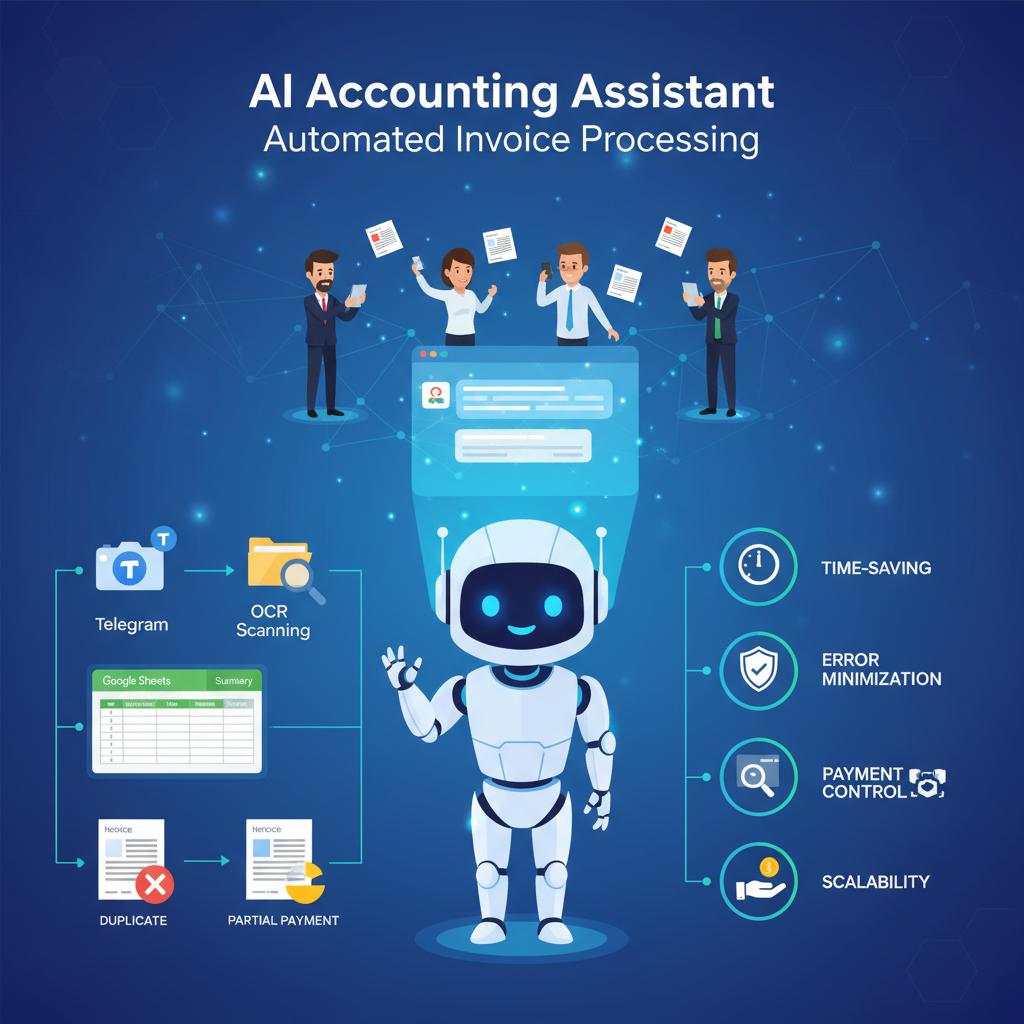
An automation system was implemented to process invoices received in a Telegram channel and automatically structure the data in Google Drive and Google Sheets. The solution eliminated manual routine work with documents and minimized the risk of errors in invoice processing.
How the solution works:
1. An employee sends a photo of the invoice to the Telegram channel.
2. After confirmation by a manager (reply with the text "Ok"), the automation is triggered.
3. A folder is created in Google Drive with the project name (or an existing folder is used if invoices for that project already exist).
4. All invoice photos for the project are stored in this folder, and a Google Sheet is generated based on a pre-defined template.
5. The system extracts data from the invoice: date, invoice number, supplier, goods/services, quantity, price, total amount (including VAT and discounts).
6. All data is automatically entered into the Google Sheet.
- Sheet 1 “All invoices” stores detailed line items for each document.
- Sheet 2 “Summary” aggregates data across all items: total quantity, final amounts, categories of materials, and the overall project cost.
7. Duplicate invoices are automatically marked in the “Comment” column. If the amount has changed or a partial payment is made, the system records this as well.
Key business benefits:
1. Time savings for employees
All routine tasks such as data copying, table creation, and line item entry are performed automatically.
2. Error minimization
The human factor is eliminated: data is extracted directly from invoices and structured immediately.
3. Transparent project reporting
At any time, managers can view detailed expenses for each project, as well as summary amounts and material categories.
4. Payment and change control
The system logs partial payments, duplicates, and changes in amounts directly in the sheet. This helps avoid confusion and always keep financial records up to date.
5. Scalability
The system can handle any volume of invoices — from just a few per day to hundreds per week.
Conclusion:
Invoice automation in Telegram enabled the client to completely eliminate manual data entry, simplify document management, and establish transparent financial control for each project. Now accountants and managers can focus on analytics and decision-making instead of routine paperwork.
#AI #AIAgent #AIAssistant #Automation #BusinessAutomation #DocumentAutomation #TelegramBot #GoogleSheets #GoogleDrive #OCR #Accounting #InvoiceProcessing #n8n #Makecom #GPT #openai
How the solution works:
1. An employee sends a photo of the invoice to the Telegram channel.
2. After confirmation by a manager (reply with the text "Ok"), the automation is triggered.
3. A folder is created in Google Drive with the project name (or an existing folder is used if invoices for that project already exist).
4. All invoice photos for the project are stored in this folder, and a Google Sheet is generated based on a pre-defined template.
5. The system extracts data from the invoice: date, invoice number, supplier, goods/services, quantity, price, total amount (including VAT and discounts).
6. All data is automatically entered into the Google Sheet.
- Sheet 1 “All invoices” stores detailed line items for each document.
- Sheet 2 “Summary” aggregates data across all items: total quantity, final amounts, categories of materials, and the overall project cost.
7. Duplicate invoices are automatically marked in the “Comment” column. If the amount has changed or a partial payment is made, the system records this as well.
Key business benefits:
1. Time savings for employees
All routine tasks such as data copying, table creation, and line item entry are performed automatically.
2. Error minimization
The human factor is eliminated: data is extracted directly from invoices and structured immediately.
3. Transparent project reporting
At any time, managers can view detailed expenses for each project, as well as summary amounts and material categories.
4. Payment and change control
The system logs partial payments, duplicates, and changes in amounts directly in the sheet. This helps avoid confusion and always keep financial records up to date.
5. Scalability
The system can handle any volume of invoices — from just a few per day to hundreds per week.
Conclusion:
Invoice automation in Telegram enabled the client to completely eliminate manual data entry, simplify document management, and establish transparent financial control for each project. Now accountants and managers can focus on analytics and decision-making instead of routine paperwork.
#AI #AIAgent #AIAssistant #Automation #BusinessAutomation #DocumentAutomation #TelegramBot #GoogleSheets #GoogleDrive #OCR #Accounting #InvoiceProcessing #n8n #Makecom #GPT #openai