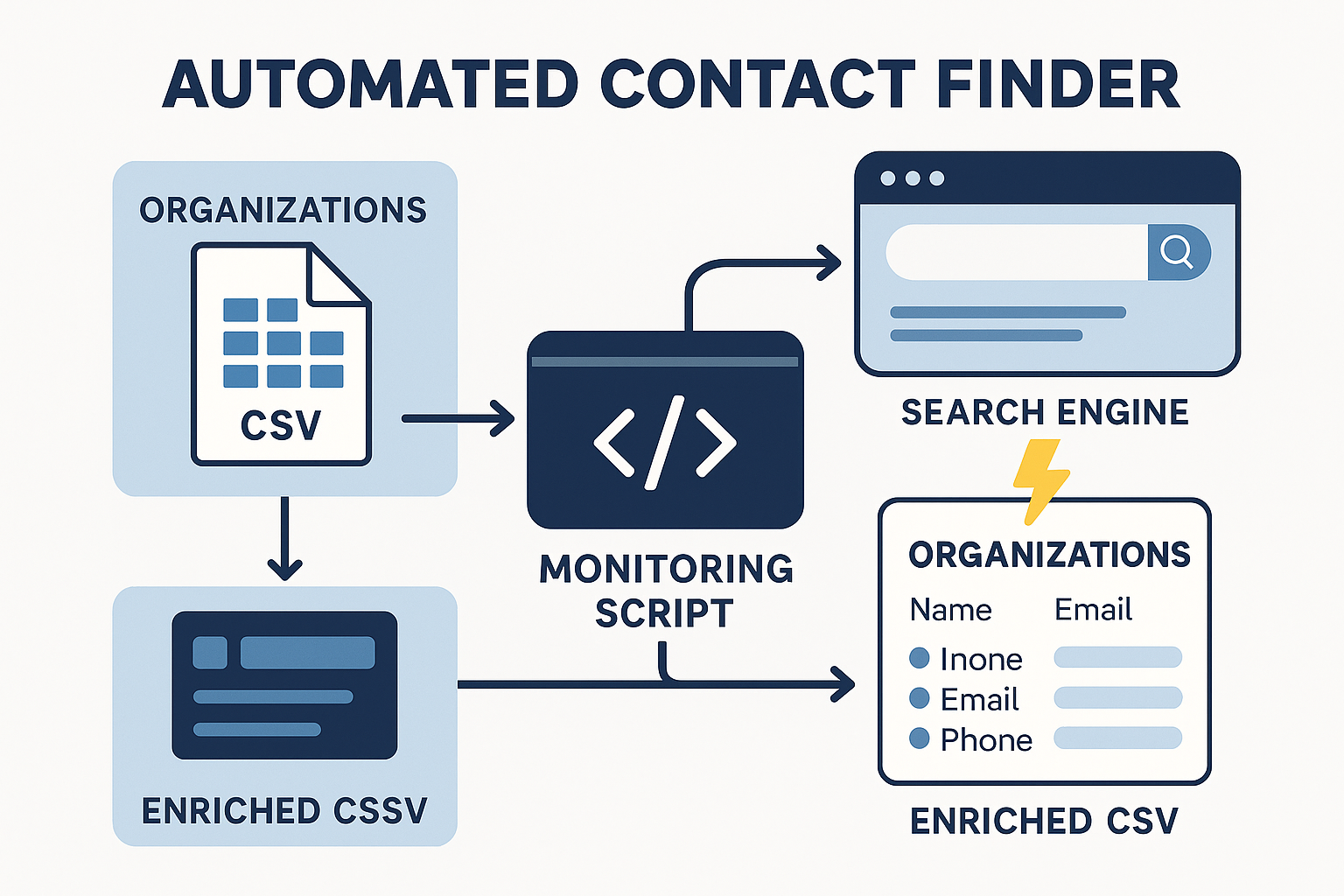
As part of its own OSINT toolkit, a script has been implemented that automatically processes a database of over 6000 organizations and searches for each one:
• email,
• phone,
• official website,
• full name of the head,
• public utility/company.
To achieve the result, several sequential parsing stages were used:
1. Clarity-Project.info — automatic extraction of email, phone, and full name of the manager from the Unified State Register of Enterprises and Organizations (EDRPOU).
2. DuckDuckGo Search + Google Search — forming a query like Name + email + phone, with parsing snippets from the first 10 results.
3. Proxy rotation (http/socks5) to bypass anti-bot protection.
4. Automatic saving of results to a .csv file after each successful request, with progress logging (for example: [959/1004] name (identifier) → Email: | Phone: ).
5. Final processing in Excel: merging address, email, and phone into one column using the formula =TEXTJOIN(", "; TRUE; F2:H2).
Technologies:
• Python (requests, BeautifulSoup, fake_useragent)
• Proxy rotation
• Google & DuckDuckGo search scraping
• CSV/Excel processing (pandas, openpyxl)
Result:
A table with hundreds of accurate contacts of organizations, supplemented with incomplete data, significantly increasing the coverage of the database for further purposes (email distribution, calling, etc.).
• email,
• phone,
• official website,
• full name of the head,
• public utility/company.
To achieve the result, several sequential parsing stages were used:
1. Clarity-Project.info — automatic extraction of email, phone, and full name of the manager from the Unified State Register of Enterprises and Organizations (EDRPOU).
2. DuckDuckGo Search + Google Search — forming a query like Name + email + phone, with parsing snippets from the first 10 results.
3. Proxy rotation (http/socks5) to bypass anti-bot protection.
4. Automatic saving of results to a .csv file after each successful request, with progress logging (for example: [959/1004] name (identifier) → Email: | Phone: ).
5. Final processing in Excel: merging address, email, and phone into one column using the formula =TEXTJOIN(", "; TRUE; F2:H2).
Technologies:
• Python (requests, BeautifulSoup, fake_useragent)
• Proxy rotation
• Google & DuckDuckGo search scraping
• CSV/Excel processing (pandas, openpyxl)
Result:
A table with hundreds of accurate contacts of organizations, supplemented with incomplete data, significantly increasing the coverage of the database for further purposes (email distribution, calling, etc.).