Automatic sorting system for Gmail attachments on Google Drive
Enterprise Resource Planning (ERP)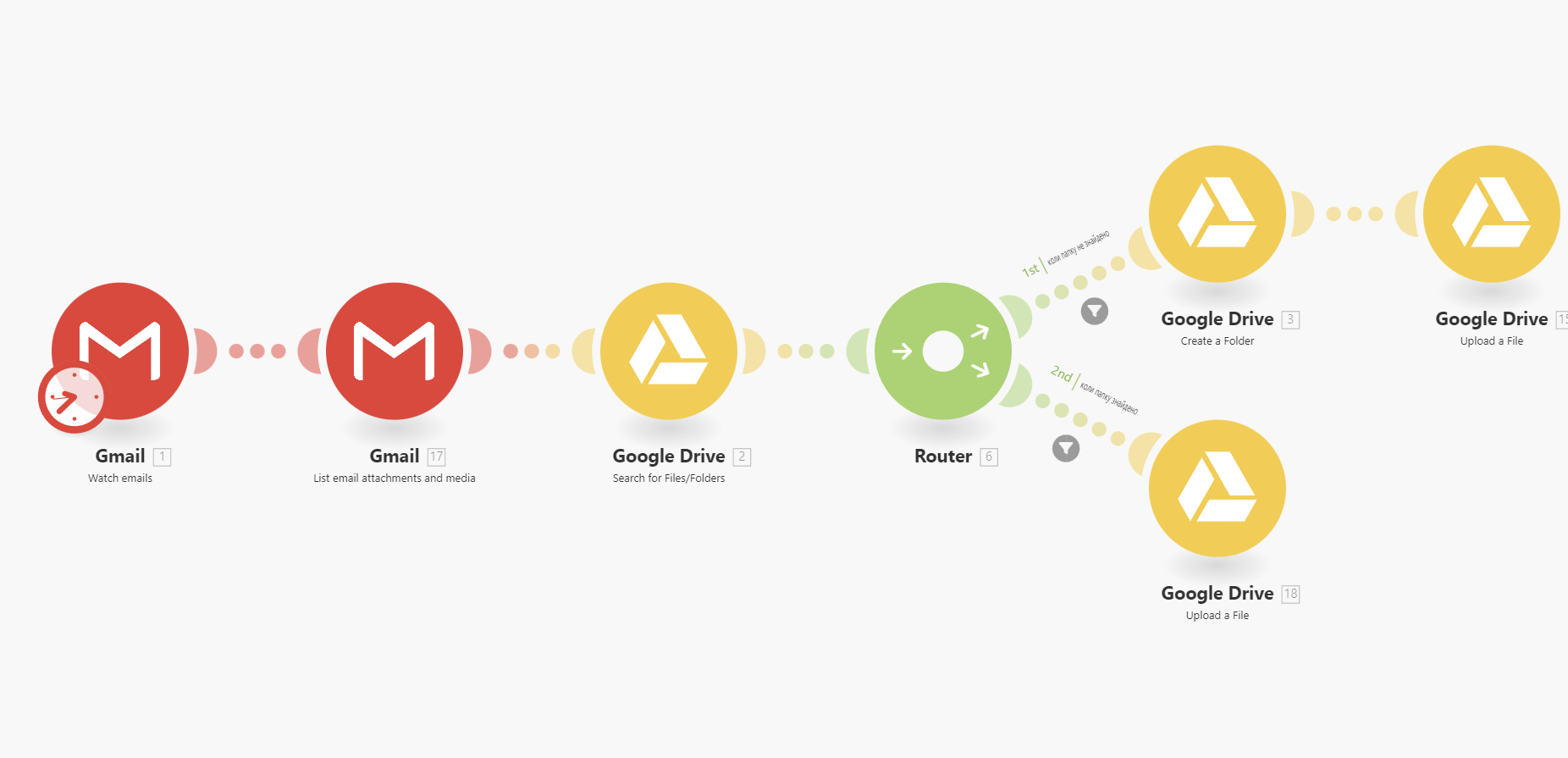
Implemented an automation system that completely frees the user from manually saving and sorting files received via email. The system automatically recognizes the date of receipt of the email and organizes a convenient folder structure in cloud storage according to the date received in the format YYYY-MM.
How the automation works:
Trigger (Gmail): Monitoring new emails in the inbox (filter settings by subject, sender are possible).
The algorithm checks the date of the email and uploads attachments to a folder in the format YYYY-MM.
If folders for the current month do not yet exist, Make.com creates them automatically.
File uploads: Attachments are saved in the corresponding folder with date fixation.
Result for the user:
-Time savings: No longer need to manually upload files from important contacts.
-Perfect order: All documents (invoices, reports, contracts) are automatically organized "on the shelves."
-Fast search: Finding the required file for a specific period can be done in seconds.
A similar project has been implemented using n8n and Google Apps Script.
#Make.com
How the automation works:
Trigger (Gmail): Monitoring new emails in the inbox (filter settings by subject, sender are possible).
The algorithm checks the date of the email and uploads attachments to a folder in the format YYYY-MM.
If folders for the current month do not yet exist, Make.com creates them automatically.
File uploads: Attachments are saved in the corresponding folder with date fixation.
Result for the user:
-Time savings: No longer need to manually upload files from important contacts.
-Perfect order: All documents (invoices, reports, contracts) are automatically organized "on the shelves."
-Fast search: Finding the required file for a specific period can be done in seconds.
A similar project has been implemented using n8n and Google Apps Script.
#Make.com