Binance P2P Checker and Auto Order
Web Programming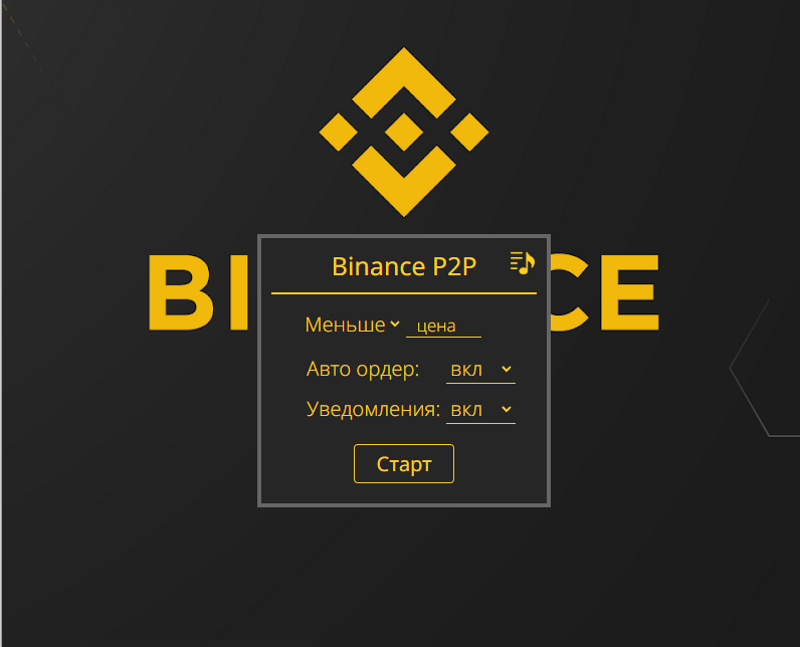
Binance P2P Checker and Auto Order
Extension to help with P2P on Binance website.The functions:
1 .Notification when the order appears with the appropriate course.The notification contains all the information necessary to understand the context.But when you click on the notification, the required folder will be opened automatically.In addition to the standard sound signal for notification, there is cast sound support.2ndAutomatic creation of an application for exchange.It supports the input of a predefined amount for exchange, or the entire amount of the wallet/order.4 .It works parallelly in any number of browser deposits.and 5.There is the possibility to work in the “buy” mode and in the “sale” mode.The extension is built on the basis of the latest standard extension manifest 3.The settings are indicated for each tab separately, which makes it more convenient to work in several tabs.In the enabled mode, the extension shows a green mark with a tracking course set.When switching to another tab, the sign is hidden.The extension window cannot be opened on the web pages that are not suitable for the operation of the browser.This enables you to avoid errors when launching.
Extension to help with P2P on Binance website.The functions:
1 .Notification when the order appears with the appropriate course.The notification contains all the information necessary to understand the context.But when you click on the notification, the required folder will be opened automatically.In addition to the standard sound signal for notification, there is cast sound support.2ndAutomatic creation of an application for exchange.It supports the input of a predefined amount for exchange, or the entire amount of the wallet/order.4 .It works parallelly in any number of browser deposits.and 5.There is the possibility to work in the “buy” mode and in the “sale” mode.The extension is built on the basis of the latest standard extension manifest 3.The settings are indicated for each tab separately, which makes it more convenient to work in several tabs.In the enabled mode, the extension shows a green mark with a tracking course set.When switching to another tab, the sign is hidden.The extension window cannot be opened on the web pages that are not suitable for the operation of the browser.This enables you to avoid errors when launching.