Source data: formula of calculation of value
TZ: create a calculator - goods check, add the data to the bd, on the individual tabs by check number output to the report template -1, 2.
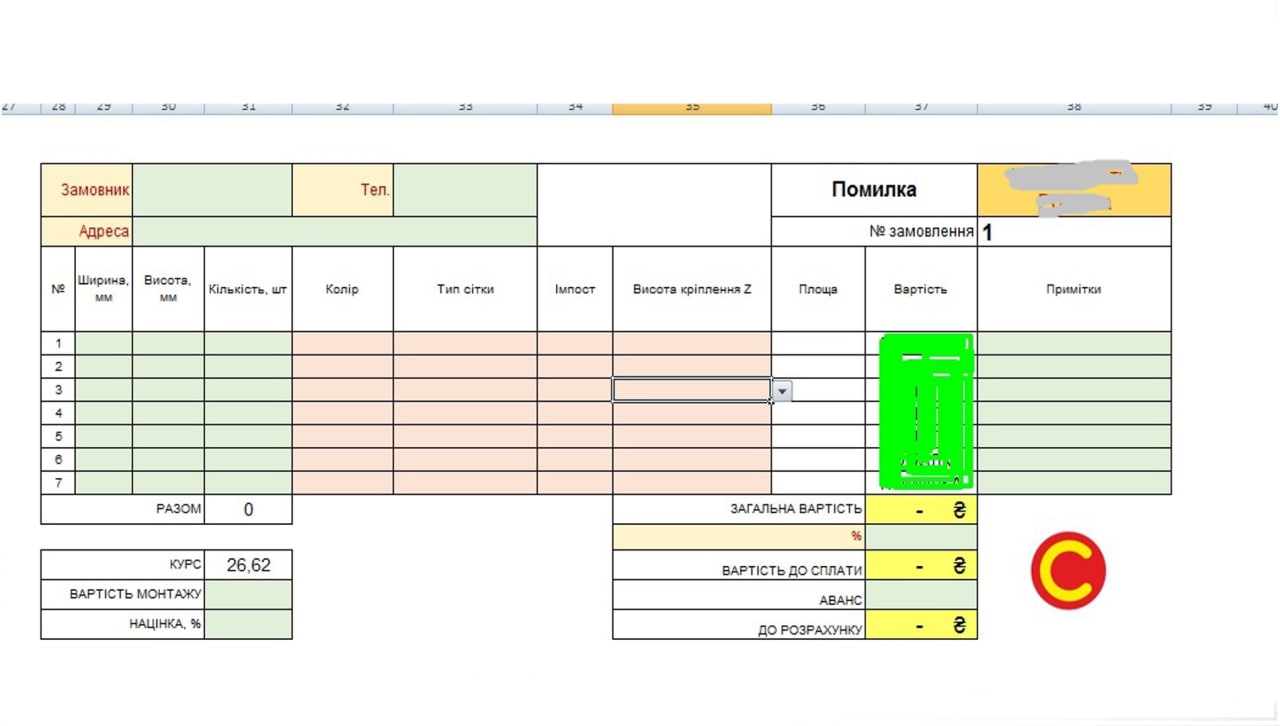
Complete: the calculator in which the customer enters contact information, virin, height, from the falling lists chooses the appropriate parameters. After completion of the line of the goods, a post-release calculation and the total cost are made. If the calculation is passed, the storage button and the data from the table are exported to the bd (macros). On the 1 report tab, the customer enters the required check number and automatically receives the production report in the compiled template, and on the 2 report tab, the customer report. Each of the reports by clicking the button (macros) - we export to the pdf. Also, with the help of the macro automatically several times a day, the current currency cuts of the NBU are drawn.
TZ: create a calculator - goods check, add the data to the bd, on the individual tabs by check number output to the report template -1, 2.
Complete: the calculator in which the customer enters contact information, virin, height, from the falling lists chooses the appropriate parameters. After completion of the line of the goods, a post-release calculation and the total cost are made. If the calculation is passed, the storage button and the data from the table are exported to the bd (macros). On the 1 report tab, the customer enters the required check number and automatically receives the production report in the compiled template, and on the 2 report tab, the customer report. Each of the reports by clicking the button (macros) - we export to the pdf. Also, with the help of the macro automatically several times a day, the current currency cuts of the NBU are drawn.