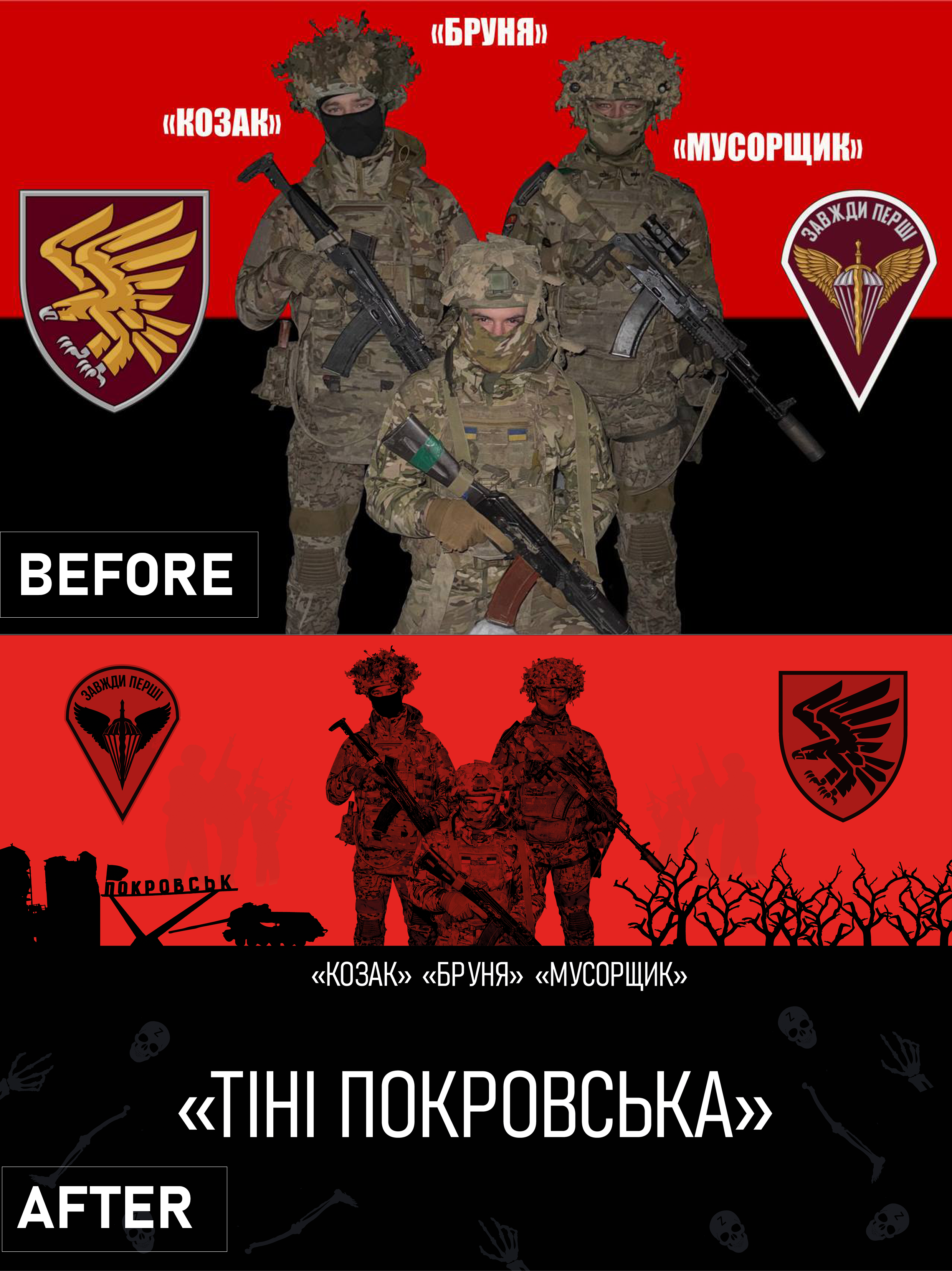
The client provided a technical specification with requirements for what should be on the flag, as well as an example of a flag that he did not like.
The requirements were as follows:
- 3 servicemen with call signs (KOZAK-BRUNYA-MUSORSHCHIK),
- the name of the group (Shadows of Pokrovsk).
- the emblem on the right side.
- the souls of the brothers who watch over us.
- a couple of elements of bones and skulls.
- damaged equipment against the background of a black landing.
As a separate point, the client wished for it to look like an overlay of images, but to appear more customized -- which was done.
All discussed conditions were met, and the client was provided with a file prepared for printing.
#editing #Photoshop/Figma/illustrator #retoucher
The requirements were as follows:
- 3 servicemen with call signs (KOZAK-BRUNYA-MUSORSHCHIK),
- the name of the group (Shadows of Pokrovsk).
- the emblem on the right side.
- the souls of the brothers who watch over us.
- a couple of elements of bones and skulls.
- damaged equipment against the background of a black landing.
As a separate point, the client wished for it to look like an overlay of images, but to appear more customized -- which was done.
All discussed conditions were met, and the client was provided with a file prepared for printing.
#editing #Photoshop/Figma/illustrator #retoucher