Project Overview
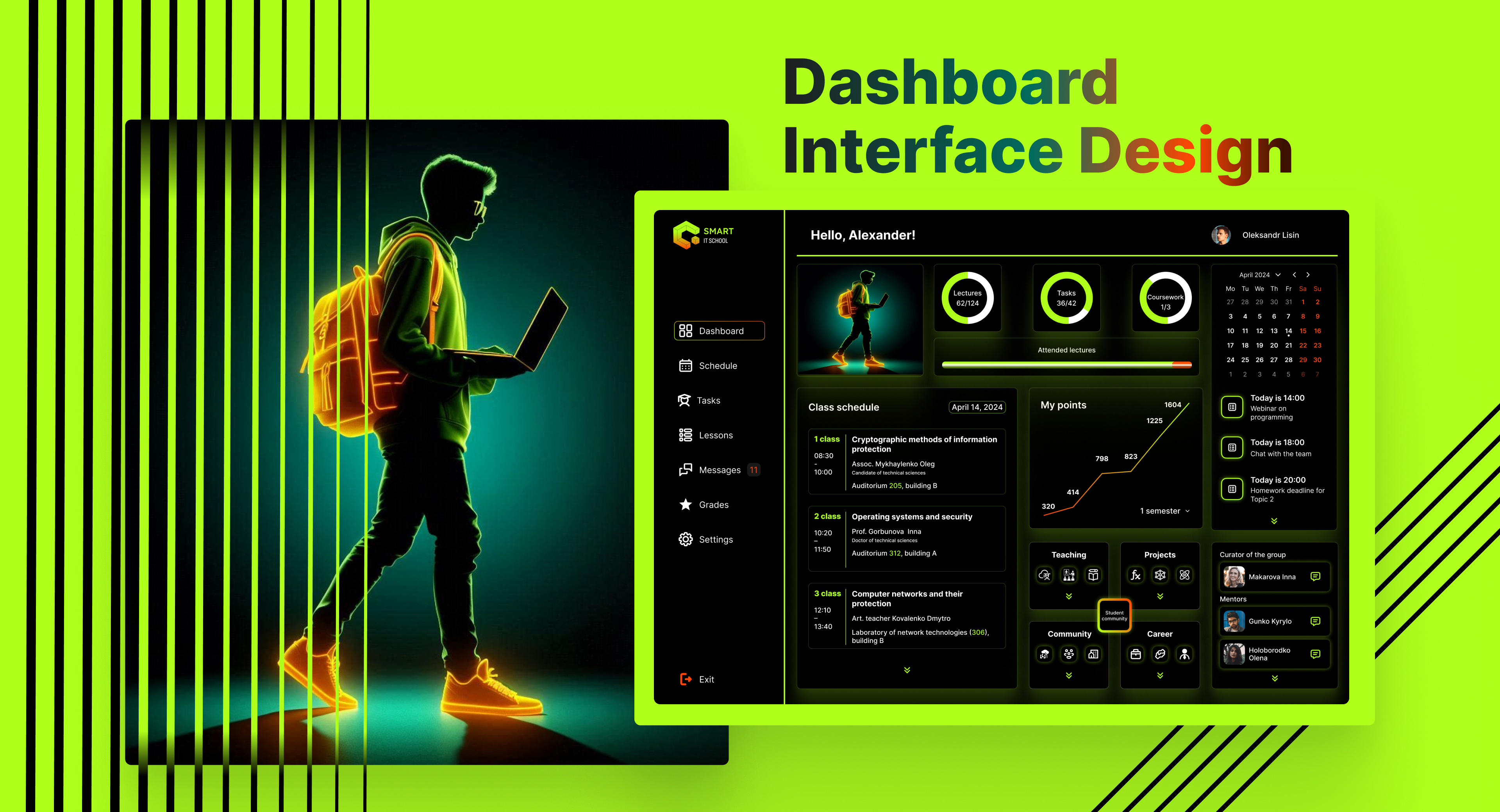
This project involved the creation of a dashboard interface for an educational platform called Smart IT School. The dashboard is designed for university students specializing in IT and related fields. The goal was to provide a clear and user-friendly interface that helps students track their academic progress, manage their schedules, and stay connected with their mentors, group curators, and classmates.
Design Objectives
Functionality and ease of navigation: the interface was to be intuitive, allowing students to quickly move between different sections, access their lessons, assignments, and tasks, as well as easily manage communication. Real-time progress tracking: one of the key tasks was to provide students with the ability to monitor their performance throughout the semester, including tracking their grades, attending lectures, and completing assignments. Aesthetic appeal: the design was to be visually appealing, using dark mode, bright accents, and a futuristic, technology-oriented theme. Student-oriented features: to make the interface more personalized, it includes a customized greeting, schedule viewing, and options for communication with mentors and classmates.
This project involved the creation of a dashboard interface for an educational platform called Smart IT School. The dashboard is designed for university students specializing in IT and related fields. The goal was to provide a clear and user-friendly interface that helps students track their academic progress, manage their schedules, and stay connected with their mentors, group curators, and classmates.
Design Objectives
Functionality and ease of navigation: the interface was to be intuitive, allowing students to quickly move between different sections, access their lessons, assignments, and tasks, as well as easily manage communication. Real-time progress tracking: one of the key tasks was to provide students with the ability to monitor their performance throughout the semester, including tracking their grades, attending lectures, and completing assignments. Aesthetic appeal: the design was to be visually appealing, using dark mode, bright accents, and a futuristic, technology-oriented theme. Student-oriented features: to make the interface more personalized, it includes a customized greeting, schedule viewing, and options for communication with mentors and classmates.