DOC-CONVERT PRO MOBILE
App Development for Android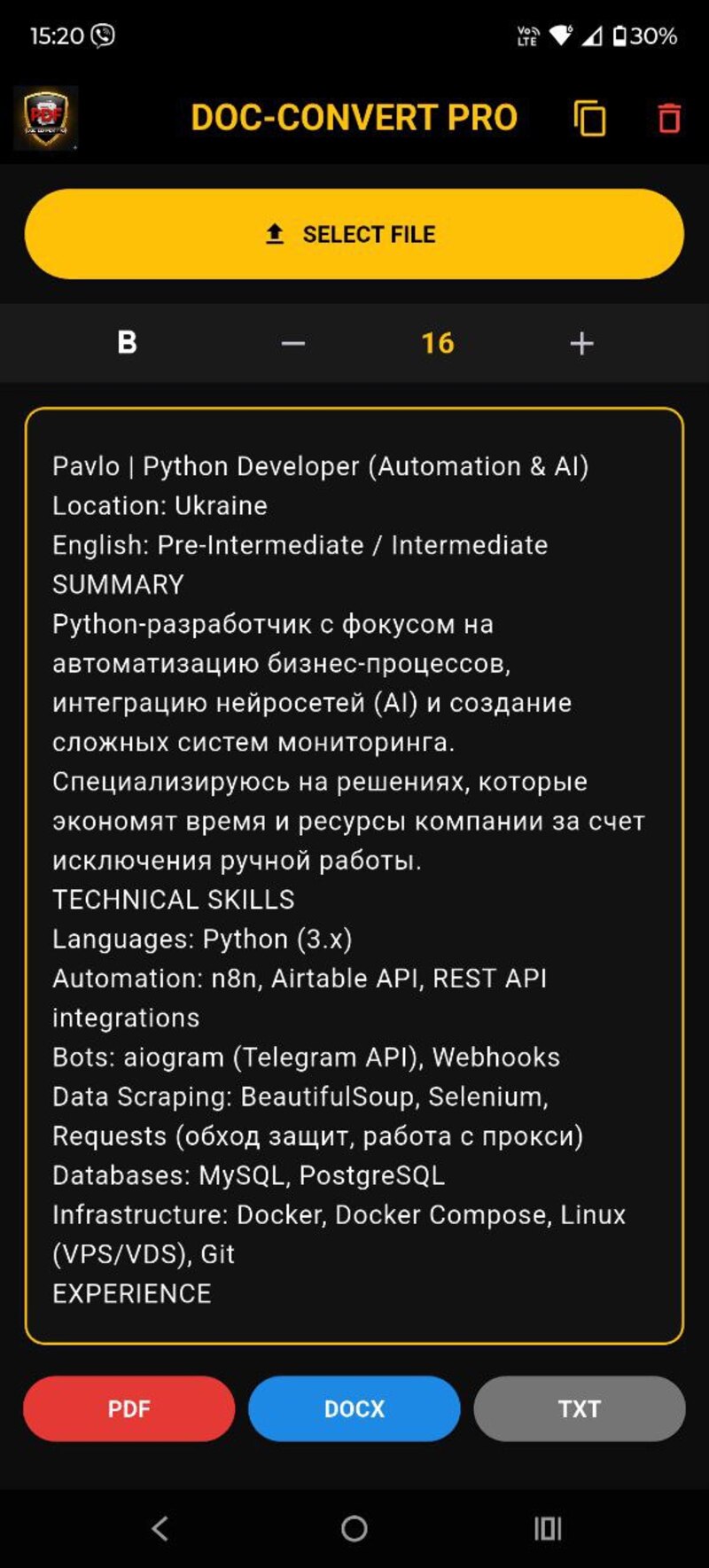
DOC-CONVERT PRO MOBILE is a high-tech mobile solution for instant digitization of paper documents, images, and PDF files into editable text formats. The application combines the power of local computing and advanced artificial intelligence from 2026.
Main stages of the application's operation:
1. Upload and initial processing
The user selects a file (photo, scan, or document) through the application interface. The system automatically determines the file extension and selects the optimal data extraction algorithm.
2. Hybrid recognition (Hybrid OCR)
This is the key feature of the project. The process occurs in two stages:
Local level (Offline): The system launches the built-in Google ML Kit module. It instantly scans text on the user's device without using the internet. This is ideal for printed documents and ensures confidentiality.
Intelligent level (AI Cloud): If the text is complex (handwritten, damaged, or specific), the Gemini 2.5 Flash neural network is connected. It conducts deep semantic analysis, restoring the structure and meaning of the document even with poor source quality.
3. Formatting and visualization
The extracted text is displayed in an interactive editor window. Here, the following features are implemented:
Dynamic adjustment: Changing font size and style (Bold) for reading convenience.
Accuracy control: The AI operates in "hard scanner" mode, excluding "hallucinations" and preserving the original language of the document (Ukrainian, Russian, English).
4. Export and saving
The application generates the final document in the selected format:
PDF: A full A4 format document is created. Thanks to the softWrap algorithm and justify alignment, the text is distributed across the entire width of the page, mimicking professional layout.
DOCX / TXT: The text is saved for further editing in office programs.
Clipboard: An instant copy function for quick pasting of text into messengers or email.
Main stages of the application's operation:
1. Upload and initial processing
The user selects a file (photo, scan, or document) through the application interface. The system automatically determines the file extension and selects the optimal data extraction algorithm.
2. Hybrid recognition (Hybrid OCR)
This is the key feature of the project. The process occurs in two stages:
Local level (Offline): The system launches the built-in Google ML Kit module. It instantly scans text on the user's device without using the internet. This is ideal for printed documents and ensures confidentiality.
Intelligent level (AI Cloud): If the text is complex (handwritten, damaged, or specific), the Gemini 2.5 Flash neural network is connected. It conducts deep semantic analysis, restoring the structure and meaning of the document even with poor source quality.
3. Formatting and visualization
The extracted text is displayed in an interactive editor window. Here, the following features are implemented:
Dynamic adjustment: Changing font size and style (Bold) for reading convenience.
Accuracy control: The AI operates in "hard scanner" mode, excluding "hallucinations" and preserving the original language of the document (Ukrainian, Russian, English).
4. Export and saving
The application generates the final document in the selected format:
PDF: A full A4 format document is created. Thanks to the softWrap algorithm and justify alignment, the text is distributed across the entire width of the page, mimicking professional layout.
DOCX / TXT: The text is saved for further editing in office programs.
Clipboard: An instant copy function for quick pasting of text into messengers or email.