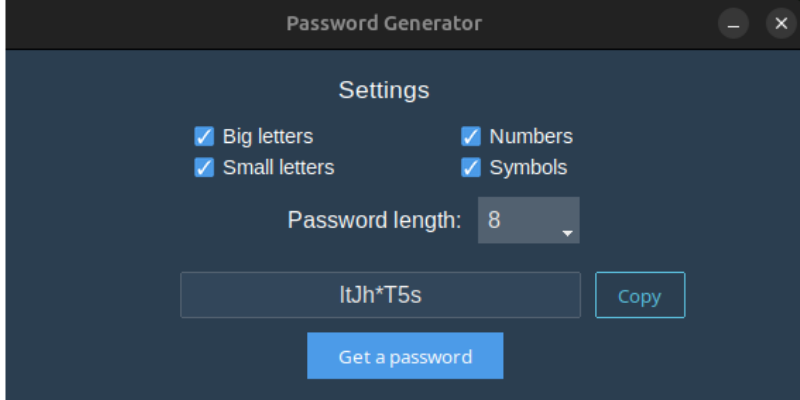
A convenient desktop application for creating secure passwords. The user can select the parameters of the future password: length, character type (digits, letters, special characters), as well as generate and copy the password with one click. The interface is implemented using the standard tkinter library, making the application lightweight and cross-platform.
Features:
- Password length selection (from 8 to 20 characters),
- Password generation button,
- Ability to copy the result to the clipboard.
Password composition settings:
- Digits (0–9),
- Letters (a–z, A–Z),
- Special characters (!@# etc.).
Simple and intuitive interface.
The application can be assembled into a .exe and run as a standalone program.
Technologies:
- Python 3,
- Tkinter (tkinter.ttk, secrets, string),
- pyinstaller for creating an executable file.
Purpose:
- Demonstration of GUI skills in Python,
- Secure password generation for everyday use,
- Suitable as a template for future security tools.
Features:
- Password length selection (from 8 to 20 characters),
- Password generation button,
- Ability to copy the result to the clipboard.
Password composition settings:
- Digits (0–9),
- Letters (a–z, A–Z),
- Special characters (!@# etc.).
Simple and intuitive interface.
The application can be assembled into a .exe and run as a standalone program.
Technologies:
- Python 3,
- Tkinter (tkinter.ttk, secrets, string),
- pyinstaller for creating an executable file.
Purpose:
- Demonstration of GUI skills in Python,
- Secure password generation for everyday use,
- Suitable as a template for future security tools.