KeyLogger
Python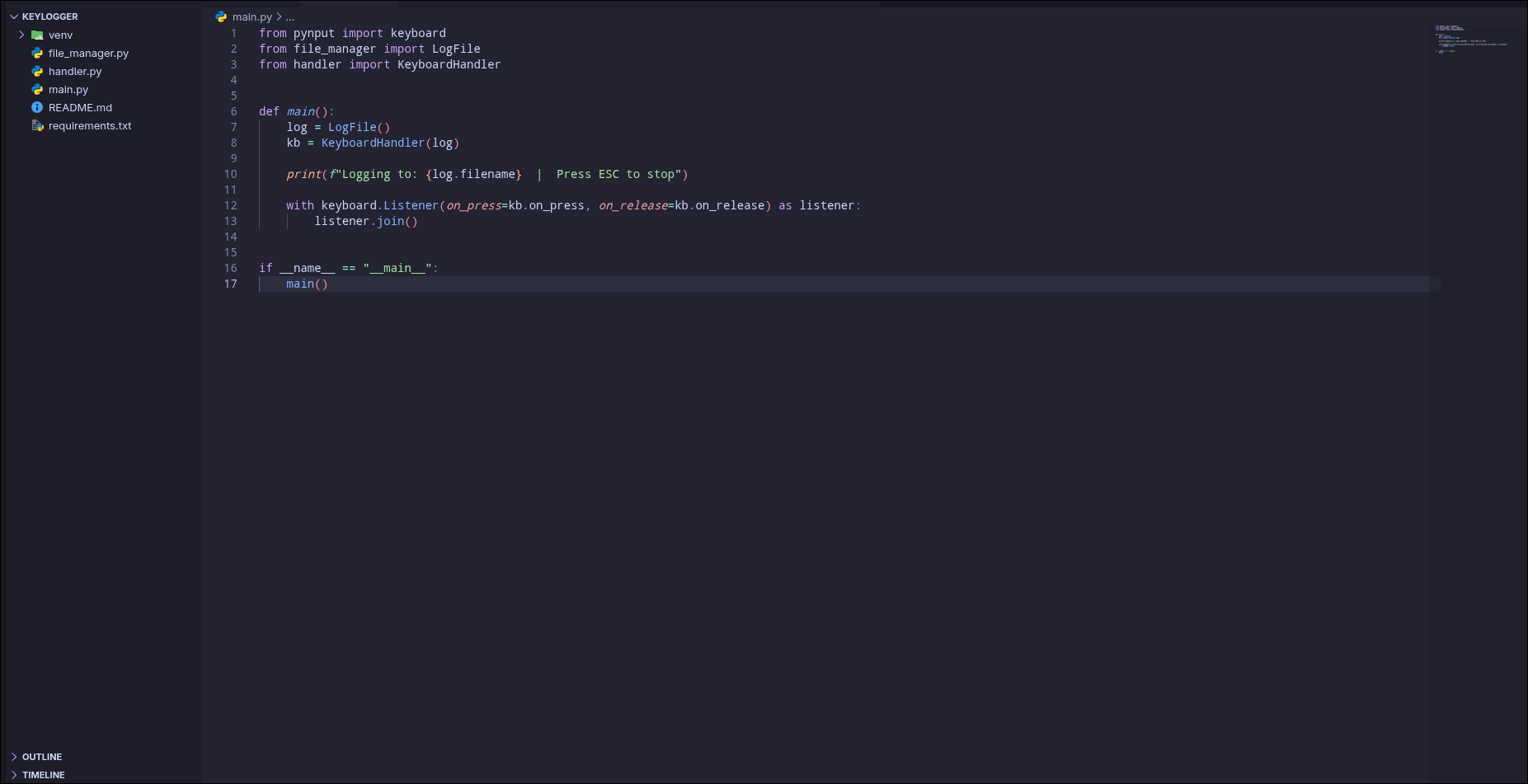
KeyLogger
A lightweight cross-platform keylogger written in Python. The program records keystrokes and saves them to text files in real-time. It works on Linux of any distribution and Windows 10/11.
MAIN FEATURES
The program saves each keystroke instantly to disk. Files are created automatically with numbering if the previous log already exists. Full recording of all languages is supported including Russian, Ukrainian, Chinese, Arabic, and others thanks to UTF-8 encoding. Special keys are handled in a special way - space, enter, and tab are recorded as real characters while others like backspace and delete are written in square brackets. The program exits correctly when the ESC key is pressed.
WORKING LOGIC
Upon the first launch, a file named txt.txt is created. If such a file already exists, txt1.txt is created, and so on. Numbering continues automatically. Letters, numbers, and symbols are recorded as they are. Space, enter, and tab are recorded as actual characters. Backspace and delete are written as [BS] and [DEL]. Modifier keys Shift, Ctrl, and Alt are not recorded. Function keys are written in square brackets, for example, [f1] or [up]. The ESC key stops the program.
INSTALLATION AND USAGE
Clone the repository and navigate to the project folder. Create a virtual environment with the command python -m venv venv. On Windows, activate it via venv\Scripts\activate, and on Linux via source venv/bin/activate. Install dependencies with the command pip install -r requirements.txt. Run the program with the command python main.py. On Linux, it may require running with administrator rights via sudo.
PROJECT STRUCTURE
The file main.py is the entry point and contains the keyboard listener. The logic for file management and data recording is implemented in logger.py. The file config.py contains program settings including the file name and encoding. Dependencies are listed in requirements.txt.
TROUBLESHOOTING
If an error about the pynput module appears when running with sudo, run it with the full path to python from the virtual environment or install pynput in the system Python. If keys are not recorded on Linux, add the user to the input group with the command sudo usermod -aG input $USER. If unreadable text appears, ensure that ENCODING utf-8 is set in config.py.
TECHNICAL DETAILS
The project requires Python 3.8 or higher and the pynput library. The project is distributed under the GNU General Public License v3.0. Created for educational purposes.
https://github.com/fedyaqq34356/KeyLogger.git
A lightweight cross-platform keylogger written in Python. The program records keystrokes and saves them to text files in real-time. It works on Linux of any distribution and Windows 10/11.
MAIN FEATURES
The program saves each keystroke instantly to disk. Files are created automatically with numbering if the previous log already exists. Full recording of all languages is supported including Russian, Ukrainian, Chinese, Arabic, and others thanks to UTF-8 encoding. Special keys are handled in a special way - space, enter, and tab are recorded as real characters while others like backspace and delete are written in square brackets. The program exits correctly when the ESC key is pressed.
WORKING LOGIC
Upon the first launch, a file named txt.txt is created. If such a file already exists, txt1.txt is created, and so on. Numbering continues automatically. Letters, numbers, and symbols are recorded as they are. Space, enter, and tab are recorded as actual characters. Backspace and delete are written as [BS] and [DEL]. Modifier keys Shift, Ctrl, and Alt are not recorded. Function keys are written in square brackets, for example, [f1] or [up]. The ESC key stops the program.
INSTALLATION AND USAGE
Clone the repository and navigate to the project folder. Create a virtual environment with the command python -m venv venv. On Windows, activate it via venv\Scripts\activate, and on Linux via source venv/bin/activate. Install dependencies with the command pip install -r requirements.txt. Run the program with the command python main.py. On Linux, it may require running with administrator rights via sudo.
PROJECT STRUCTURE
The file main.py is the entry point and contains the keyboard listener. The logic for file management and data recording is implemented in logger.py. The file config.py contains program settings including the file name and encoding. Dependencies are listed in requirements.txt.
TROUBLESHOOTING
If an error about the pynput module appears when running with sudo, run it with the full path to python from the virtual environment or install pynput in the system Python. If keys are not recorded on Linux, add the user to the input group with the command sudo usermod -aG input $USER. If unreadable text appears, ensure that ENCODING utf-8 is set in config.py.
TECHNICAL DETAILS
The project requires Python 3.8 or higher and the pynput library. The project is distributed under the GNU General Public License v3.0. Created for educational purposes.
https://github.com/fedyaqq34356/KeyLogger.git