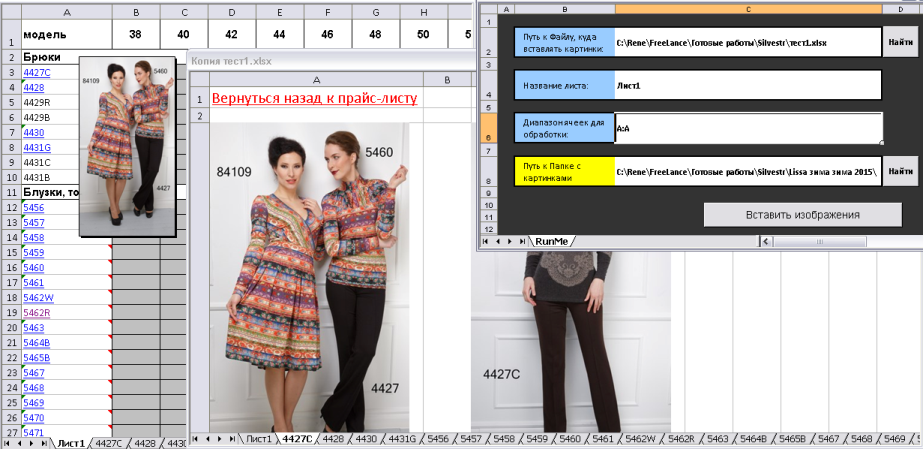
On the entrance: specify the location of the Excel file in which images should be inserted, specify the sheet and range where the "key words" are to search for images; the location of the map with images.
Result: For each keyword, the macro searches for all the images with the name containing that word. If at least one image is found - a separate sheet with the same name is created, a hyperlink to that sheet is entered in the cell, and a hyperlink to the cell is entered in the sheet; the sheet to the left to the right in one line are entered all the images found; one of the images is also added to the outgoing note to the outgoing cell.
Result: For each keyword, the macro searches for all the images with the name containing that word. If at least one image is found - a separate sheet with the same name is created, a hyperlink to that sheet is entered in the cell, and a hyperlink to the cell is entered in the sheet; the sheet to the left to the right in one line are entered all the images found; one of the images is also added to the outgoing note to the outgoing cell.