Math Calculator (HTML / CSS / JavaScript)
Web Programming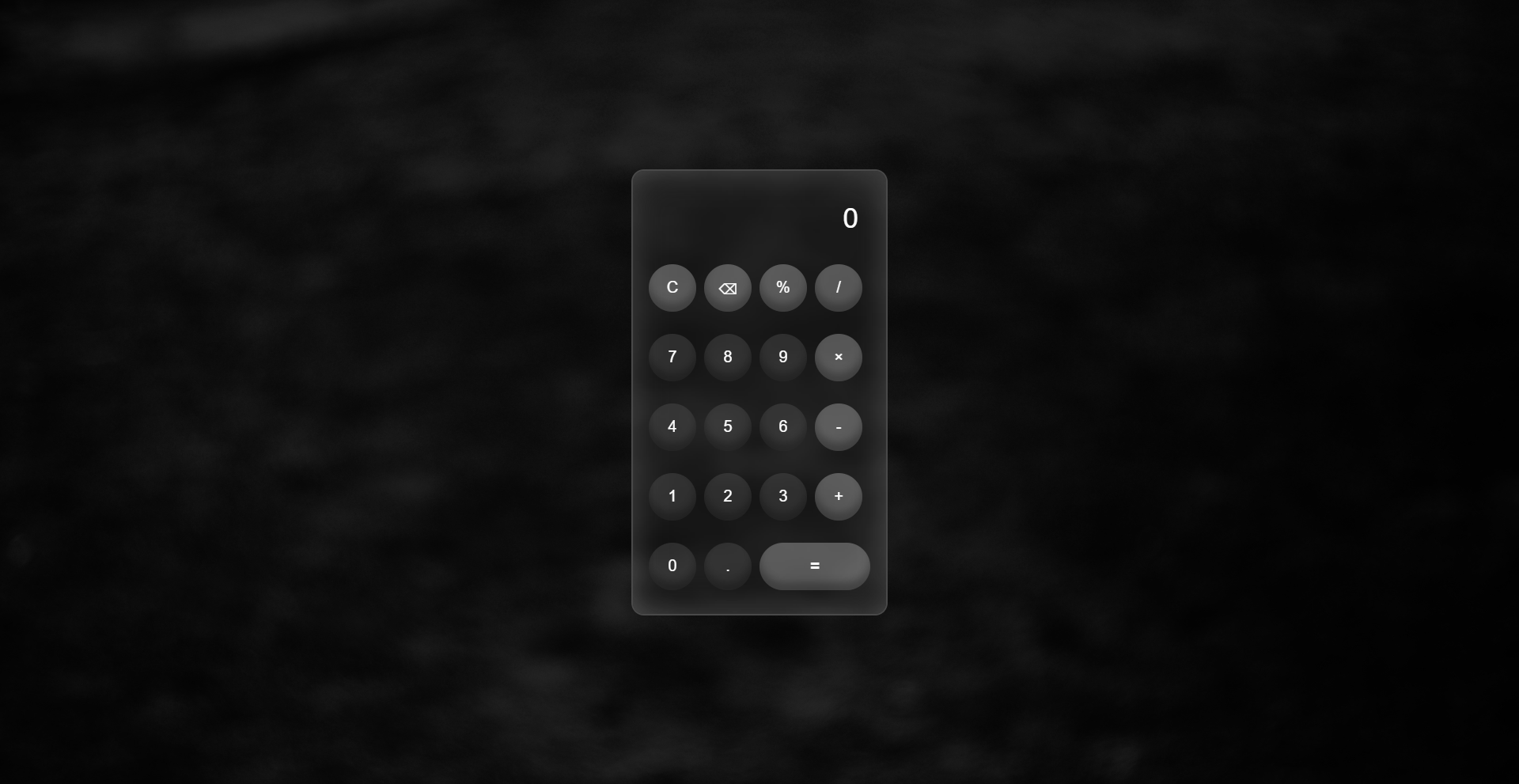
An interactive web calculator with a modern interface designed for performing basic mathematical operations directly in the browser.
Key features implemented in the project:
1. Core Calculations - full support for addition, subtraction, multiplication, division, percentage calculations, and decimal points.
2. Accurate Results - handles data parsing and decimal precision limits (.toFixed(10)) to ensure correct calculation outputs.
3. Modern Layout - structured using CSS Grid for the button layout, featuring a blurred background effect (backdrop-filter) and smooth CSS fade-in animations on page load.
4. Input Validation - includes a strict 30-character input limit, smart operator replacement to avoid consecutive syntax duplicates, and error handling (try/catch) displaying "Error".
5. Responsive Display - long mathematical expressions automatically scroll horizontally within the result display without breaking the layout.
6. Single Character Delete - implemented a backspace feature (⌫ button) to easily remove the last typed character and correct typos.
Tech Stack: HTML5, CSS3 (CSS Grid, Backdrop-filter, Keyframe Animations), Vanilla JavaScript (DOM Events, String Manipulation, Math Logic).
Key features implemented in the project:
1. Core Calculations - full support for addition, subtraction, multiplication, division, percentage calculations, and decimal points.
2. Accurate Results - handles data parsing and decimal precision limits (.toFixed(10)) to ensure correct calculation outputs.
3. Modern Layout - structured using CSS Grid for the button layout, featuring a blurred background effect (backdrop-filter) and smooth CSS fade-in animations on page load.
4. Input Validation - includes a strict 30-character input limit, smart operator replacement to avoid consecutive syntax duplicates, and error handling (try/catch) displaying "Error".
5. Responsive Display - long mathematical expressions automatically scroll horizontally within the result display without breaking the layout.
6. Single Character Delete - implemented a backspace feature (⌫ button) to easily remove the last typed character and correct typos.
Tech Stack: HTML5, CSS3 (CSS Grid, Backdrop-filter, Keyframe Animations), Vanilla JavaScript (DOM Events, String Manipulation, Math Logic).