The task was to improve the #performance of a page that functions as a photo gallery. This task was not an easy one, as the browser, by default, requests all images at once, creating a "traffic bottleneck."
I used DevTools (the #performance tab) and recommendations from #PageSpeed Insights to optimize the page's performance. The main measures included:
- Implementing #lazy loading for images, allowing them to load only when necessary.
- Optimizing image sizes and formats (e.g., using WebP).
- Setting up caching to reduce the time for repeat loads.
- Optimizing CSS and JavaScript to minimize the volume of downloaded data.
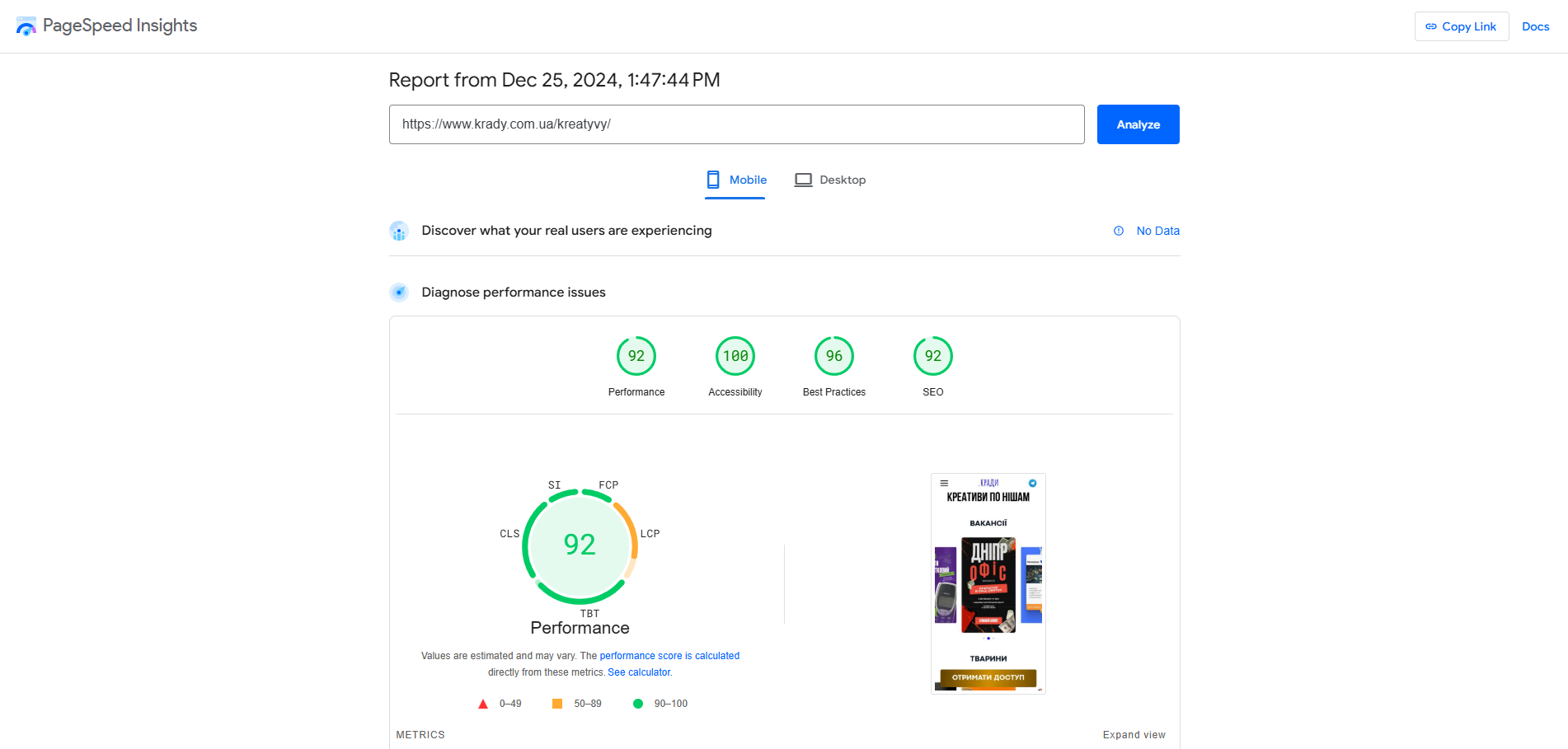
The result: the page now loads faster and meets the green zone criteria. The Performance Score reached 92, and the indicators for Accessibility, Best Practices, and SEO also improved significantly.
I used DevTools (the #performance tab) and recommendations from #PageSpeed Insights to optimize the page's performance. The main measures included:
- Implementing #lazy loading for images, allowing them to load only when necessary.
- Optimizing image sizes and formats (e.g., using WebP).
- Setting up caching to reduce the time for repeat loads.
- Optimizing CSS and JavaScript to minimize the volume of downloaded data.
The result: the page now loads faster and meets the green zone criteria. The Performance Score reached 92, and the indicators for Accessibility, Best Practices, and SEO also improved significantly.