Pet project for auto-creation of basic project files
Python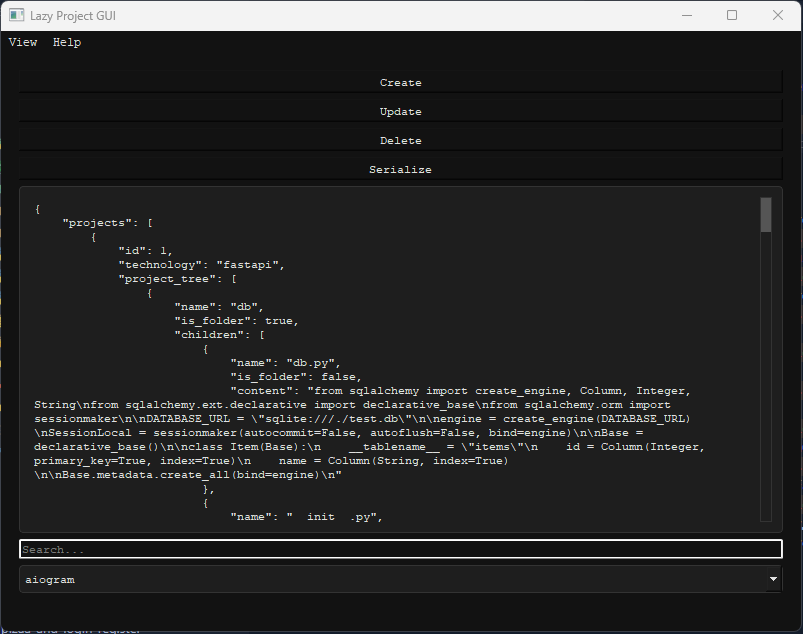
User Guide
This guide contains a description of the available commands for managing the project.
Commands
python main.py --gui or --console
Editing Templates
serialize: Creates a new project template based on a directory.
Command: python manage.py serialize_template
update: Updates an existing project template based on a directory.
Command: python manage.py update_template
delete: Deletes an existing project template.
Command: python manage.py delete_template
deserialize: Creates a new project based on the specified template.
Command: python manage.py deserialize_template
Note that specifies the directory where the project will be created or modified, and is the name of the template itself. The technology is used for commands add_code, remove_code, edit_code to determine which technology the code files are associated with.
Stack / Dependencies:
asarPy==1.0.1
PyQt5==5.15.11
PyQt5_sip==12.15.0
This guide contains a description of the available commands for managing the project.
Commands
python main.py --gui or --console
Editing Templates
serialize: Creates a new project template based on a directory.
Command: python manage.py serialize_template
update: Updates an existing project template based on a directory.
Command: python manage.py update_template
delete: Deletes an existing project template.
Command: python manage.py delete_template
deserialize: Creates a new project based on the specified template.
Command: python manage.py deserialize_template
Note that specifies the directory where the project will be created or modified, and is the name of the template itself. The technology is used for commands add_code, remove_code, edit_code to determine which technology the code files are associated with.
Stack / Dependencies:
asarPy==1.0.1
PyQt5==5.15.11
PyQt5_sip==12.15.0