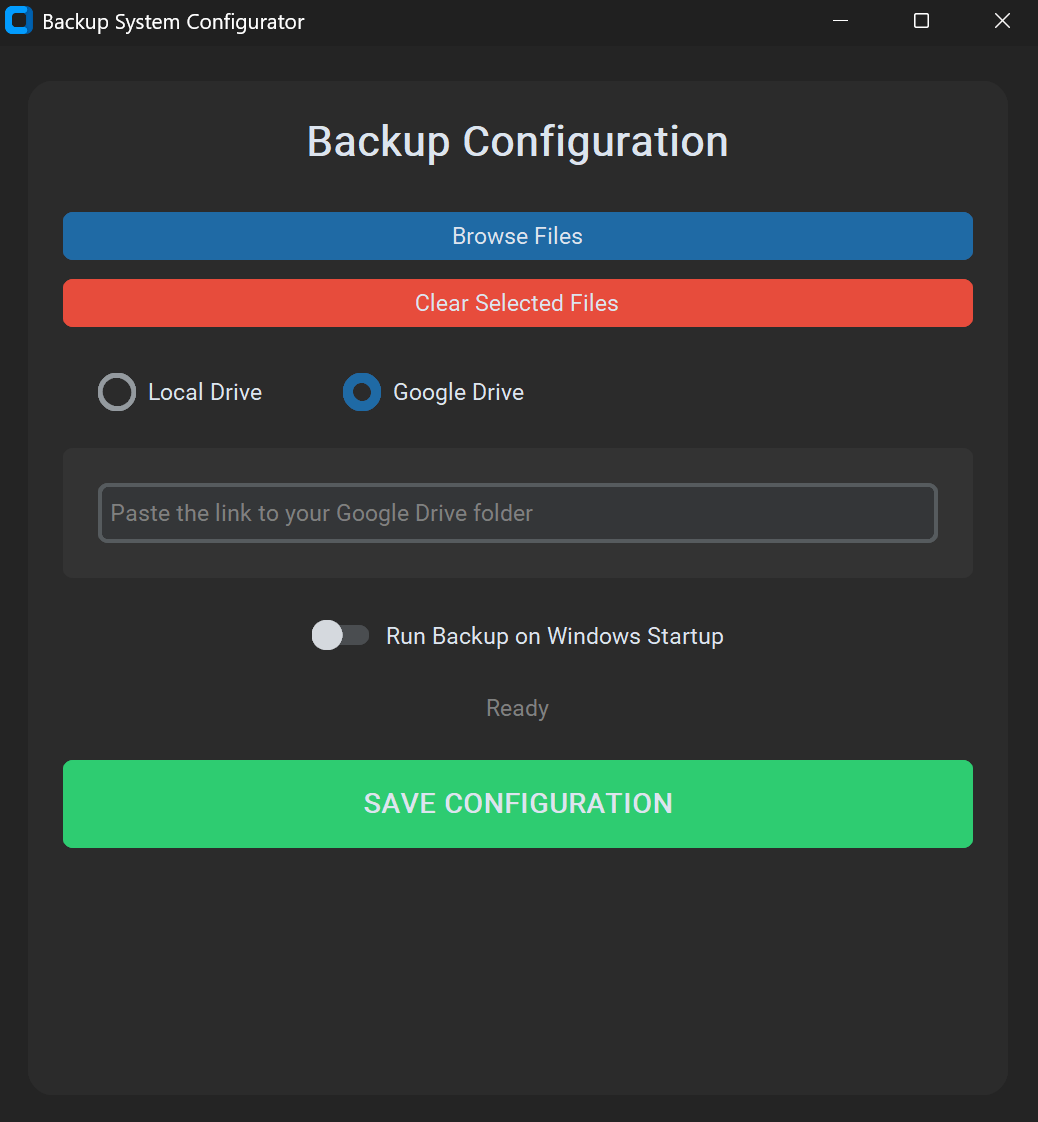
ProBackup is a professional Python-based utility designed for automated data synchronization. It provides a seamless way to back up critical files to either Google Drive or local storage (USB/HDD) with a focus on reliability and modern User Experience (UX).
Key Features
Hybrid Storage: Support for both Cloud (Google Drive API) and Local backups.
Modern Desktop GUI: Built with CustomTkinter, featuring a sleek, responsive interface with native Dark/Light mode support.
Smart Versioning: Implements a timestamped folder system (Backup_YYYY-MM-DD) to preserve backup history and prevent data overwrite.
Windows Integration: Features a "Run on Startup" toggle that uses pythonw for silent background execution without terminal windows.
Real-time Notifications: Uses native Windows Toast notifications to keep the user informed about backup status.
Intelligent Input Parsing: Custom Regex-based logic to automatically extract Folder IDs from full Google Drive URLs, making it user-friendly.
Technical Stack
Core: Python 3.14
API: PyDrive (Google Drive API)
UI/UX: CustomTkinter
System: Winotify (Notifications), Winshell/PyWin32 (OS integration)
Logic: OOP principles, Regex validation, JSON-based configuration management.
Development Highlights
During development, I focused on solving real-world software challenges:
Dependency Management: Resolved version conflicts between legacy notification libraries and modern Python environments.
Path Resilience: Implemented dynamic path resolution to ensure the app works correctly regardless of the execution directory.
Security: Designed a secure environment by isolating sensitive API keys and configuration files via .gitignore.
Key Features
Hybrid Storage: Support for both Cloud (Google Drive API) and Local backups.
Modern Desktop GUI: Built with CustomTkinter, featuring a sleek, responsive interface with native Dark/Light mode support.
Smart Versioning: Implements a timestamped folder system (Backup_YYYY-MM-DD) to preserve backup history and prevent data overwrite.
Windows Integration: Features a "Run on Startup" toggle that uses pythonw for silent background execution without terminal windows.
Real-time Notifications: Uses native Windows Toast notifications to keep the user informed about backup status.
Intelligent Input Parsing: Custom Regex-based logic to automatically extract Folder IDs from full Google Drive URLs, making it user-friendly.
Technical Stack
Core: Python 3.14
API: PyDrive (Google Drive API)
UI/UX: CustomTkinter
System: Winotify (Notifications), Winshell/PyWin32 (OS integration)
Logic: OOP principles, Regex validation, JSON-based configuration management.
Development Highlights
During development, I focused on solving real-world software challenges:
Dependency Management: Resolved version conflicts between legacy notification libraries and modern Python environments.
Path Resilience: Implemented dynamic path resolution to ensure the app works correctly regardless of the execution directory.
Security: Designed a secure environment by isolating sensitive API keys and configuration files via .gitignore.