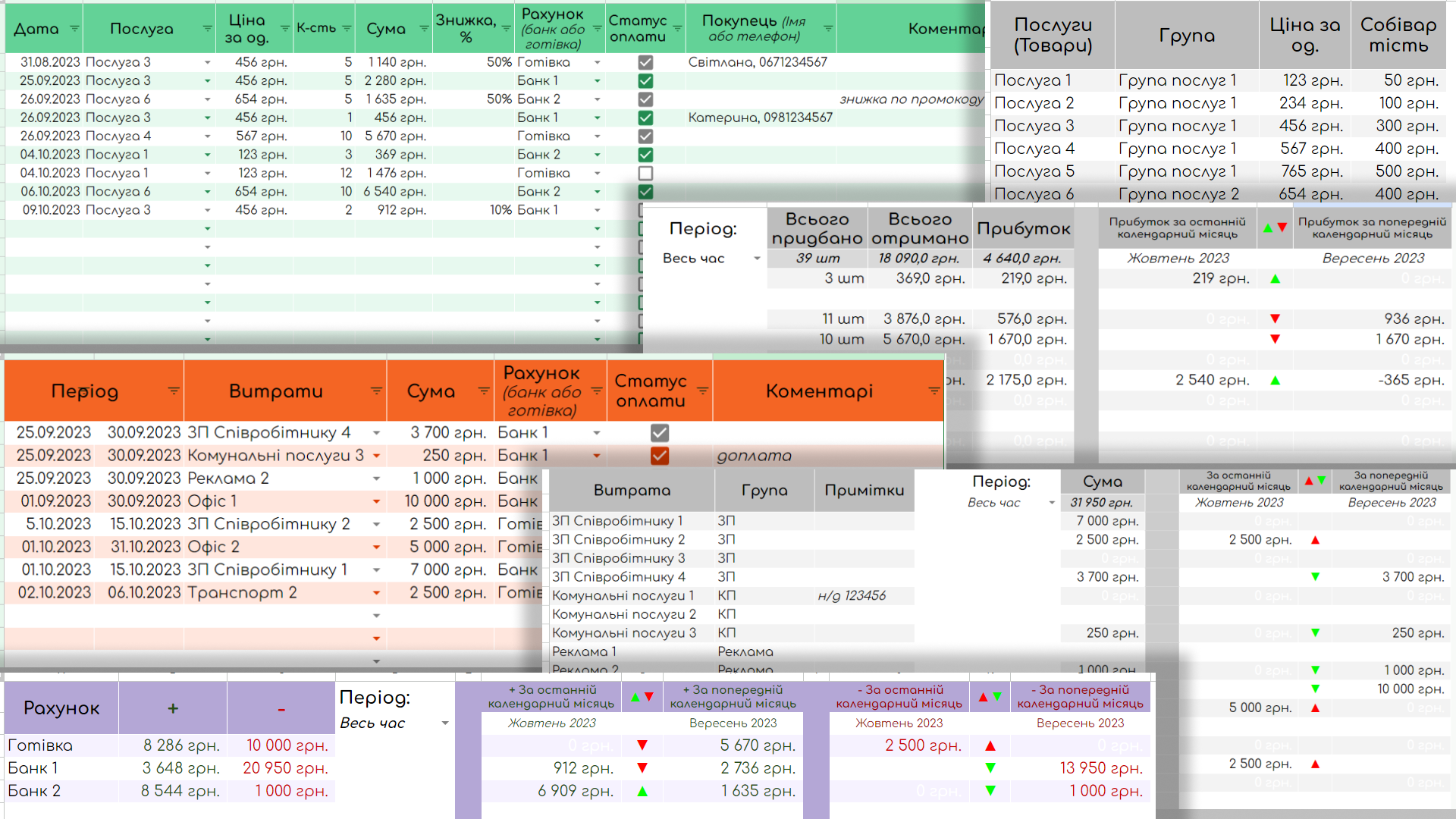
The P&L table in the Google tables is an effective tool for carrying out financial accounts and analyzing the profits and expenses of your company or company.This P&L table in Google Tables provides you with a tool to effectively account for profits and expenses, as well as to analyze the various financial indicators.It allows you to improve financial control and make informed decisions for further development of your company or company.This table has a number of posts that allow you to collect and analyze a variety of information.Comfortable fixing of data:
Google Tables provide a convenient interface for adding and editing data on all tabs.Joint Access and Joint Work:
Google Tables allow you to collaborate with other users by providing access to viewing, editing, or commenting on a table.This will make the financial accounting more accessible to all team members and simplify the exchange of information.Posts Tagged ‘order’:
This tab contains data about your company’s profits, including the order and services you provide.Posts tagged with "loss":
This includes data about the company’s expenses, including different types of expenses.Posts Tagged ‘service’:
With this tab you have the ability to manage the list of services that will later be used on the "Order" tabs.You can check the amounts of profits for each service and choose the appropriate month or the entire period for the analysis.View the “Cost” page:
Here you can add and change the list of the types of expenses your company has.It will be used on the "Payments" tables.You can check the amounts of expenses for each point and choose the appropriate month or the entire period for the analysis.Posts Tagged ‘Accounts’:
In this tab you can add different calculation methods that are used on the tabs "Order" and "Payments".There is also available account statistics, which allows you to analyze different methods of calculation and their use.The table has the possibility to analyze the statistics for the current and previous month for both profits and expenses.This allows you to compare financial results at different stages, identify trends and changes in profits and expenses, and make appropriate financial decisions.The price is indicated for the ready template.If you need to submit under you, there will be an additional payment according to the work done.
Google Tables provide a convenient interface for adding and editing data on all tabs.Joint Access and Joint Work:
Google Tables allow you to collaborate with other users by providing access to viewing, editing, or commenting on a table.This will make the financial accounting more accessible to all team members and simplify the exchange of information.Posts Tagged ‘order’:
This tab contains data about your company’s profits, including the order and services you provide.Posts tagged with "loss":
This includes data about the company’s expenses, including different types of expenses.Posts Tagged ‘service’:
With this tab you have the ability to manage the list of services that will later be used on the "Order" tabs.You can check the amounts of profits for each service and choose the appropriate month or the entire period for the analysis.View the “Cost” page:
Here you can add and change the list of the types of expenses your company has.It will be used on the "Payments" tables.You can check the amounts of expenses for each point and choose the appropriate month or the entire period for the analysis.Posts Tagged ‘Accounts’:
In this tab you can add different calculation methods that are used on the tabs "Order" and "Payments".There is also available account statistics, which allows you to analyze different methods of calculation and their use.The table has the possibility to analyze the statistics for the current and previous month for both profits and expenses.This allows you to compare financial results at different stages, identify trends and changes in profits and expenses, and make appropriate financial decisions.The price is indicated for the ready template.If you need to submit under you, there will be an additional payment according to the work done.