TranslateFlow — instant translation of input fields on any website
Web Programming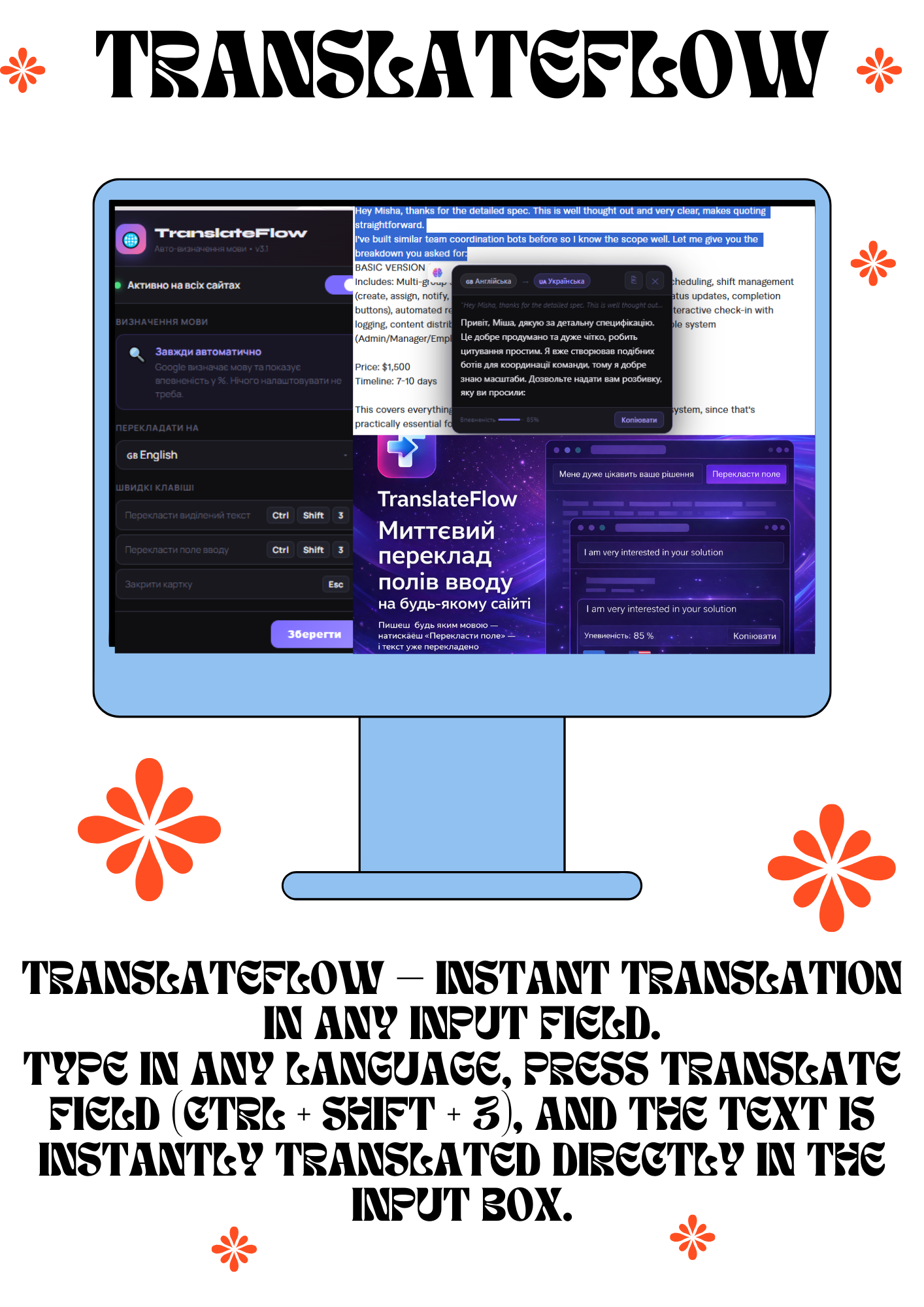
TranslateFlow — instant translation of input fields on any website
You write in any language — click "Translate Field" — and the text is already translated in real time.
This is a Chrome extension that works across the entire browser (on all websites without exception).
How it works:
You write in any input field (chat, form, comment, Telegram, Gmail, Notion, any website) in your native language.
You click the "Translate Field" button (or use the hotkeys Ctrl + Shift + 3).
In a second, the text in the field is already translated into the desired language (English, German, Polish — whichever you choose).
Automatic language detection + translation of selected text also with one click.
It shows the confidence level of the translation (for example, 85%) and a "Copy" button.
Main features:
Works in real time directly in input fields (no need to copy-paste into Google Translate).
Active on all Chrome websites (including chats, social networks, CRMs, banks, government websites, etc.).
Hotkeys: Ctrl+Shift+3 — translate field / selected text.
Elegant popup with message translation (as shown in the screenshot).
Settings: auto-detection, target language, disable/enable on specific websites.
For whom:
Freelancers and teams communicating with foreign clients.
Ukrainians working with English-speaking services.
Anyone tired of copying text back and forth.
You write in any language — click "Translate Field" — and the text is already translated in real time.
This is a Chrome extension that works across the entire browser (on all websites without exception).
How it works:
You write in any input field (chat, form, comment, Telegram, Gmail, Notion, any website) in your native language.
You click the "Translate Field" button (or use the hotkeys Ctrl + Shift + 3).
In a second, the text in the field is already translated into the desired language (English, German, Polish — whichever you choose).
Automatic language detection + translation of selected text also with one click.
It shows the confidence level of the translation (for example, 85%) and a "Copy" button.
Main features:
Works in real time directly in input fields (no need to copy-paste into Google Translate).
Active on all Chrome websites (including chats, social networks, CRMs, banks, government websites, etc.).
Hotkeys: Ctrl+Shift+3 — translate field / selected text.
Elegant popup with message translation (as shown in the screenshot).
Settings: auto-detection, target language, disable/enable on specific websites.
For whom:
Freelancers and teams communicating with foreign clients.
Ukrainians working with English-speaking services.
Anyone tired of copying text back and forth.