Voice AI assistant on the website: simple prototype
AI & Machine Learning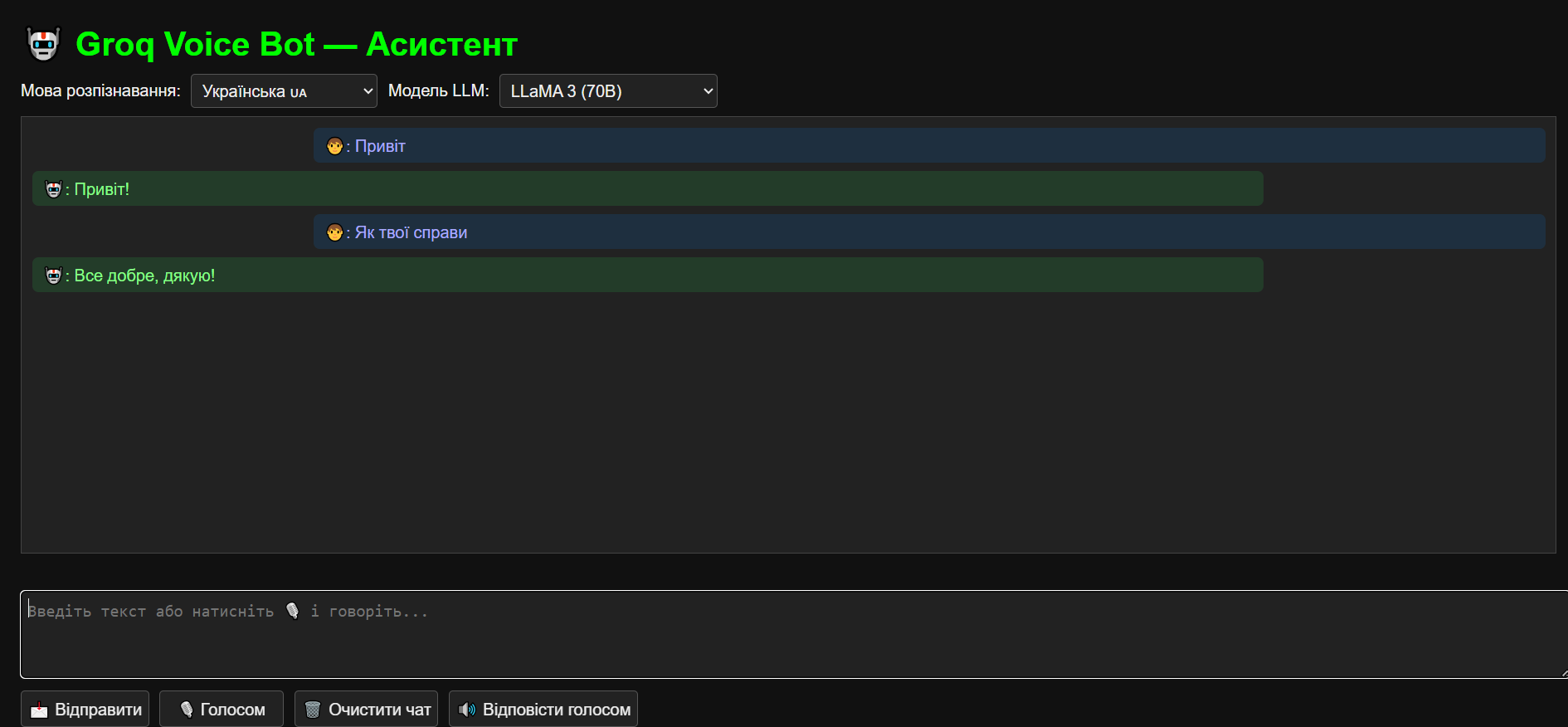
The idea to create a voice #AI assistant that understands language and responds meaningfully came quite simply. Many services offer chatbots, but they are often limited to text or formal communication. I wanted to make it so that a user could just speak to their computer or phone and receive real, useful answers — without extra clicks and long waiting times.
How it works:
For voice recognition, I used the standard Web Speech API, which is supported by modern browsers. This allows you to simply press a button and speak, and the browser recognizes the text and sends it for processing.
Responses are generated using large language models (LLMs), which operate through an API — this enables receiving high-quality and relevant answers without complex local infrastructure.
The responses are voiced through the ResponsiveVoice library, which currently provides the most natural voices for the web interface. Although there was an initial attempt — to add support for local voices, such as RHVoice, but they sounded less natural.
How it works:
For voice recognition, I used the standard Web Speech API, which is supported by modern browsers. This allows you to simply press a button and speak, and the browser recognizes the text and sends it for processing.
Responses are generated using large language models (LLMs), which operate through an API — this enables receiving high-quality and relevant answers without complex local infrastructure.
The responses are voiced through the ResponsiveVoice library, which currently provides the most natural voices for the web interface. Although there was an initial attempt — to add support for local voices, such as RHVoice, but they sounded less natural.