Weekly productivity planner in Google Sheets
Enterprise Resource Planning (ERP)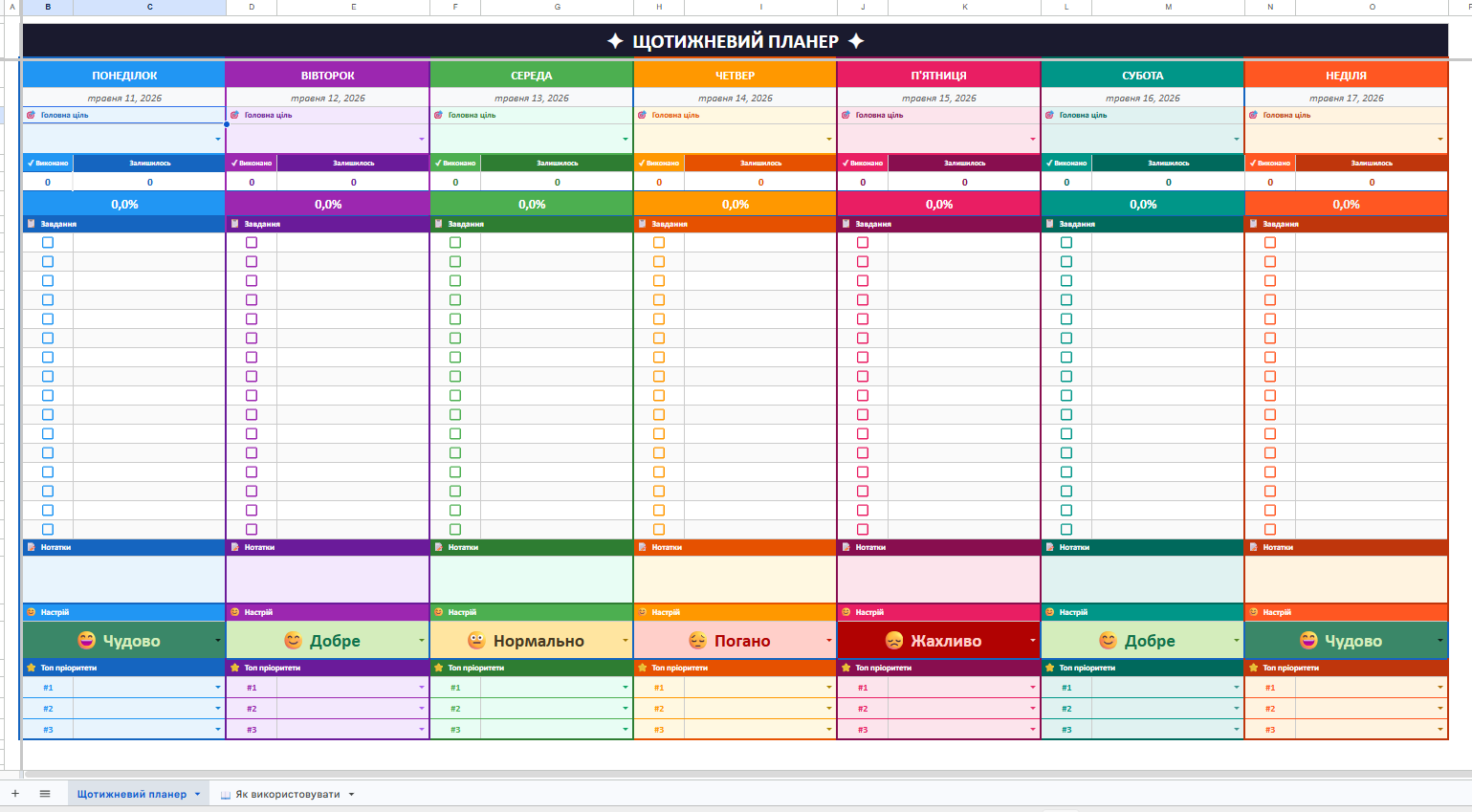
Developed an automated weekly planner in Google Sheets for organizing tasks, priorities, and mood throughout the week.
Key features:
Automatic date filling — entering one Monday date automatically fills all 7 days of the week
Smart dropdown list "Main Focus" — selecting a priority from the task list with one click instead of manual entry
Automatic strikethrough of completed tasks — marked tasks are visually crossed out for clear progress tracking
Daily progress tracker — automatic counting of completed, remaining tasks, and completion percentage
Mood tracker — color dropdown list that automatically changes the cell color based on the selected mood
Notes block and Top-3 priorities — a space for jotting down thoughts and key tasks of the day
7 unique color themes — each day of the week has its own design for quick visual orientation
How it works:
The user copies the template to their Google Drive, specifies the Monday date — and all days, progress calculations, and task strikethroughs work automatically, without formulas and settings.
Suitable for: remote workers and freelancers, students, entrepreneurs, and small business owners, as well as anyone looking to structure their week.
Result — a ready-made digital productivity tool that combines task planning, progress tracking, and emotional state monitoring in one convenient place.
Tags:
#GoogleSheets #GoogleTables #Planning #Productivity #TaskTracker #Automation #WeeklyPlanner #Template #PersonalEffectiveness #TimeManagement
Key features:
Automatic date filling — entering one Monday date automatically fills all 7 days of the week
Smart dropdown list "Main Focus" — selecting a priority from the task list with one click instead of manual entry
Automatic strikethrough of completed tasks — marked tasks are visually crossed out for clear progress tracking
Daily progress tracker — automatic counting of completed, remaining tasks, and completion percentage
Mood tracker — color dropdown list that automatically changes the cell color based on the selected mood
Notes block and Top-3 priorities — a space for jotting down thoughts and key tasks of the day
7 unique color themes — each day of the week has its own design for quick visual orientation
How it works:
The user copies the template to their Google Drive, specifies the Monday date — and all days, progress calculations, and task strikethroughs work automatically, without formulas and settings.
Suitable for: remote workers and freelancers, students, entrepreneurs, and small business owners, as well as anyone looking to structure their week.
Result — a ready-made digital productivity tool that combines task planning, progress tracking, and emotional state monitoring in one convenient place.
Tags:
#GoogleSheets #GoogleTables #Planning #Productivity #TaskTracker #Automation #WeeklyPlanner #Template #PersonalEffectiveness #TimeManagement