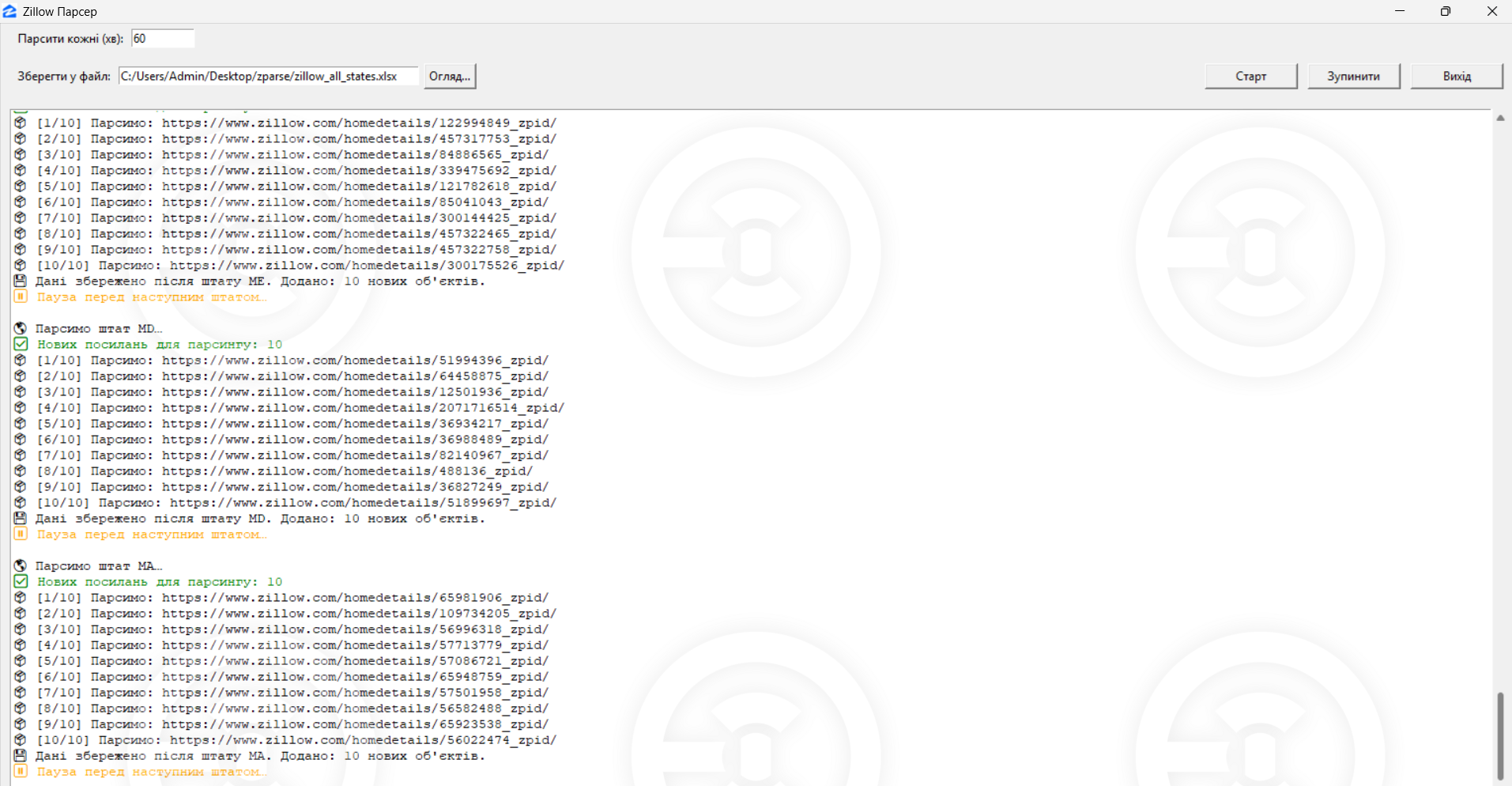
Automatic data parsing from Zillow The system performs regular data collection at a specified interval (in minutes), with the ability to stop and restart.
Saving data to Excel Parsing saves results to the selected Excel file. The path to the file is preserved between sessions.
Graphical interface (Tkinter GUI) The user can start, stop parsing, change the interval, select a file — all through an intuitive window.
Integration with system tray (pystray) The program can minimize to the tray, run in the background, and be controlled through a context menu.
Event logging with color tags All actions (successes, errors, warnings) are logged in a separate window with color coding.
Saving data to Excel Parsing saves results to the selected Excel file. The path to the file is preserved between sessions.
Graphical interface (Tkinter GUI) The user can start, stop parsing, change the interval, select a file — all through an intuitive window.
Integration with system tray (pystray) The program can minimize to the tray, run in the background, and be controlled through a context menu.
Event logging with color tags All actions (successes, errors, warnings) are logged in a separate window with color coding.