Batch processor for Photosop as a separate program
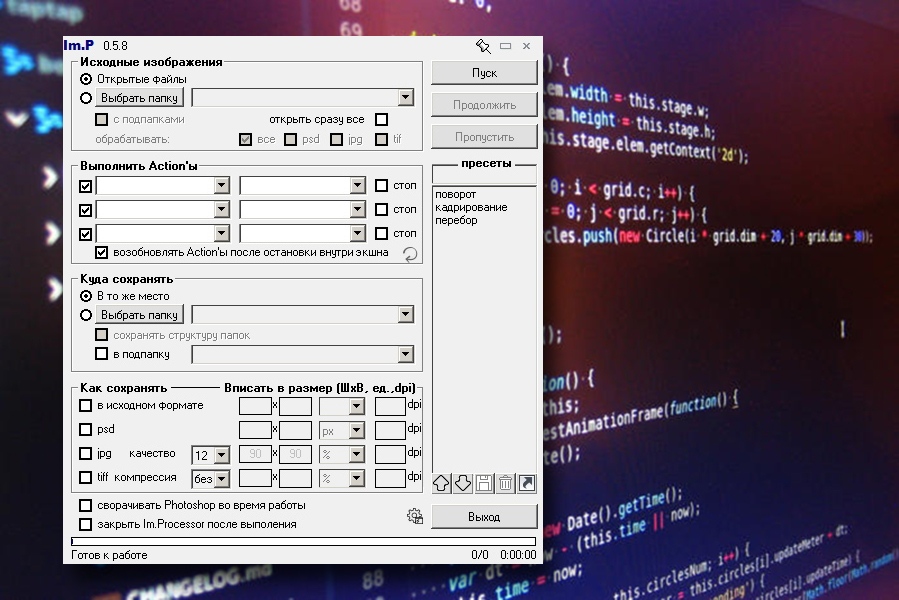
• Continuing to work with a file set after stopping during or after the action(s); continue
can be both a button and a keyboard shortcut from Photoshop (hereinafter - PS).
• As a result - the ability to work with the file in the PS before/after the operation, with the following
Continuing the work on the following file
• The ability to keep the settings, and their quick choice in an unlimited number of presses
and the presentation.
• You can choose which actions to apply to the files "in the summer", i.e. When working on a file group,
In the summer, you can also turn off the foot.
It can be performed consistently up to 3 actions, with stops after each or inside each.
• Extended storage capabilities – you can store the same file in several formats
different sizes, preserve the structure of the papacks, create the papacks.
and other possibilities
can be both a button and a keyboard shortcut from Photoshop (hereinafter - PS).
• As a result - the ability to work with the file in the PS before/after the operation, with the following
Continuing the work on the following file
• The ability to keep the settings, and their quick choice in an unlimited number of presses
and the presentation.
• You can choose which actions to apply to the files "in the summer", i.e. When working on a file group,
In the summer, you can also turn off the foot.
It can be performed consistently up to 3 actions, with stops after each or inside each.
• Extended storage capabilities – you can store the same file in several formats
different sizes, preserve the structure of the papacks, create the papacks.
and other possibilities

 Kharkiv
  A little busy