by bissengaliyev-mern-blog
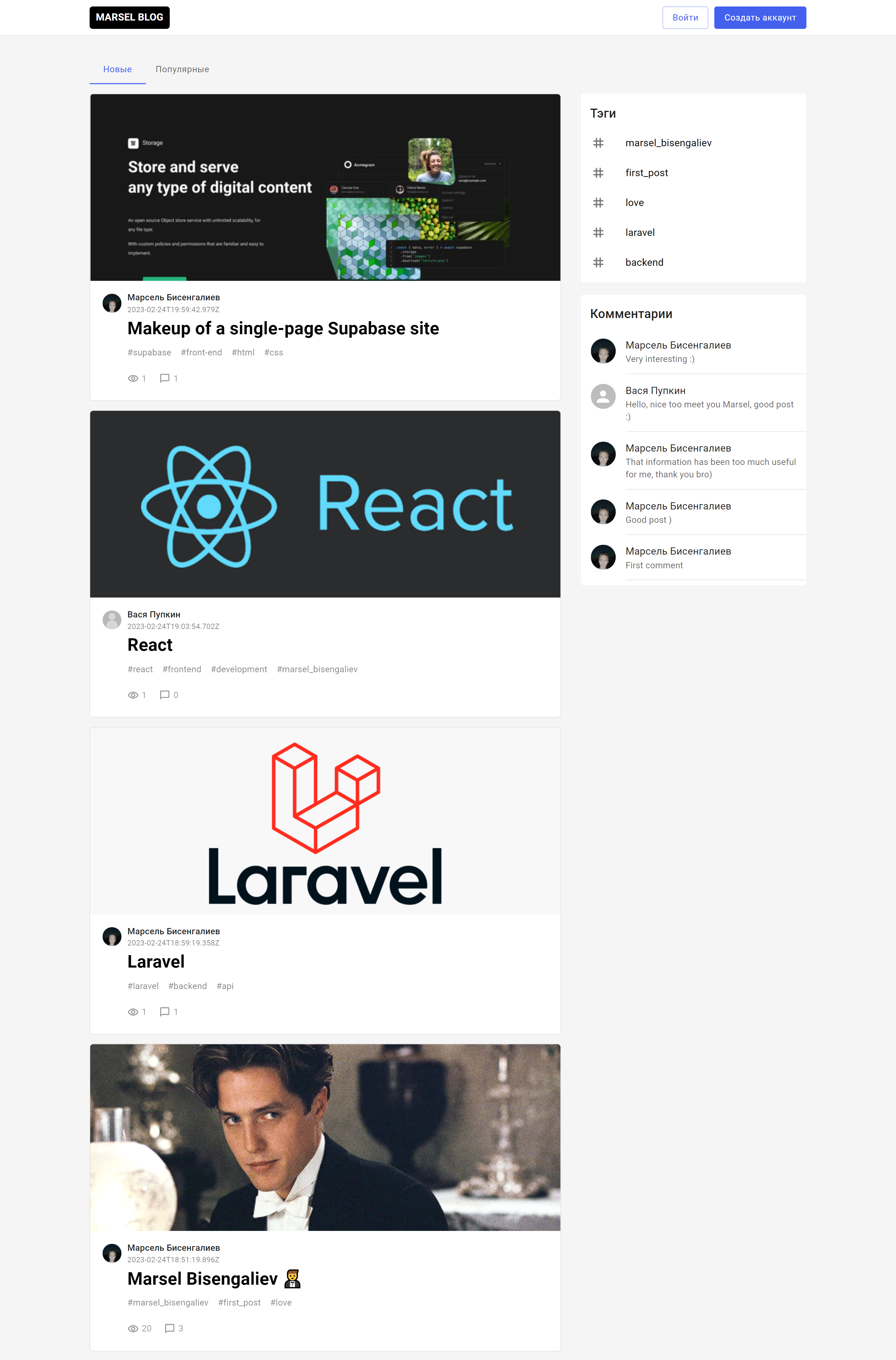
In this project I used the steak MERN:
MongoDB - database of documents
Express(.js) - Node.js web framework
- React(.js) - client JavaScript framework
Node(.js) is the main JavaScript web server.
Pages :
1 .The main page on which the user sees messages can sort them by date and popularity, as well as see the last 5 tags, comments.2ndInput: Page where you see 2 input fields: 1) E-mail; 2) Password; If the user entered the field correctly, the application will translate it to the main page and register it as authenticated (save the jwt-token in the local storage).ThreeRegistration: The page on which you see 3 fields to enter: 1) E-mail; 2) Password; 3) Full name; If the user entered the field correctly, a new user is created in the database and the application translates it to the main page, at the end it is registered as authenticated (save the jwt-token in localstorage).4 .Add a post: The page where a user can create a new post, here he can upload an image for a preliminary view of the created post, set a title, tag, tag.If the user is authenticated, he may leave comments and see other users' comments to this post.and 5.Edit Post: This page has the same design as the "Add Post" page, but here the user updates the post.6 .Posts by tags: This page shows the user messages by tags, it can also sort them by date and popularity.#MERN #ReactJS #Mongoose #mongodb #Javascript #redux #MaterialUI #ExpressJS
MongoDB - database of documents
Express(.js) - Node.js web framework
- React(.js) - client JavaScript framework
Node(.js) is the main JavaScript web server.
Pages :
1 .The main page on which the user sees messages can sort them by date and popularity, as well as see the last 5 tags, comments.2ndInput: Page where you see 2 input fields: 1) E-mail; 2) Password; If the user entered the field correctly, the application will translate it to the main page and register it as authenticated (save the jwt-token in the local storage).ThreeRegistration: The page on which you see 3 fields to enter: 1) E-mail; 2) Password; 3) Full name; If the user entered the field correctly, a new user is created in the database and the application translates it to the main page, at the end it is registered as authenticated (save the jwt-token in localstorage).4 .Add a post: The page where a user can create a new post, here he can upload an image for a preliminary view of the created post, set a title, tag, tag.If the user is authenticated, he may leave comments and see other users' comments to this post.and 5.Edit Post: This page has the same design as the "Add Post" page, but here the user updates the post.6 .Posts by tags: This page shows the user messages by tags, it can also sort them by date and popularity.#MERN #ReactJS #Mongoose #mongodb #Javascript #redux #MaterialUI #ExpressJS

 Uralsk
  Available for hire