Image Generator
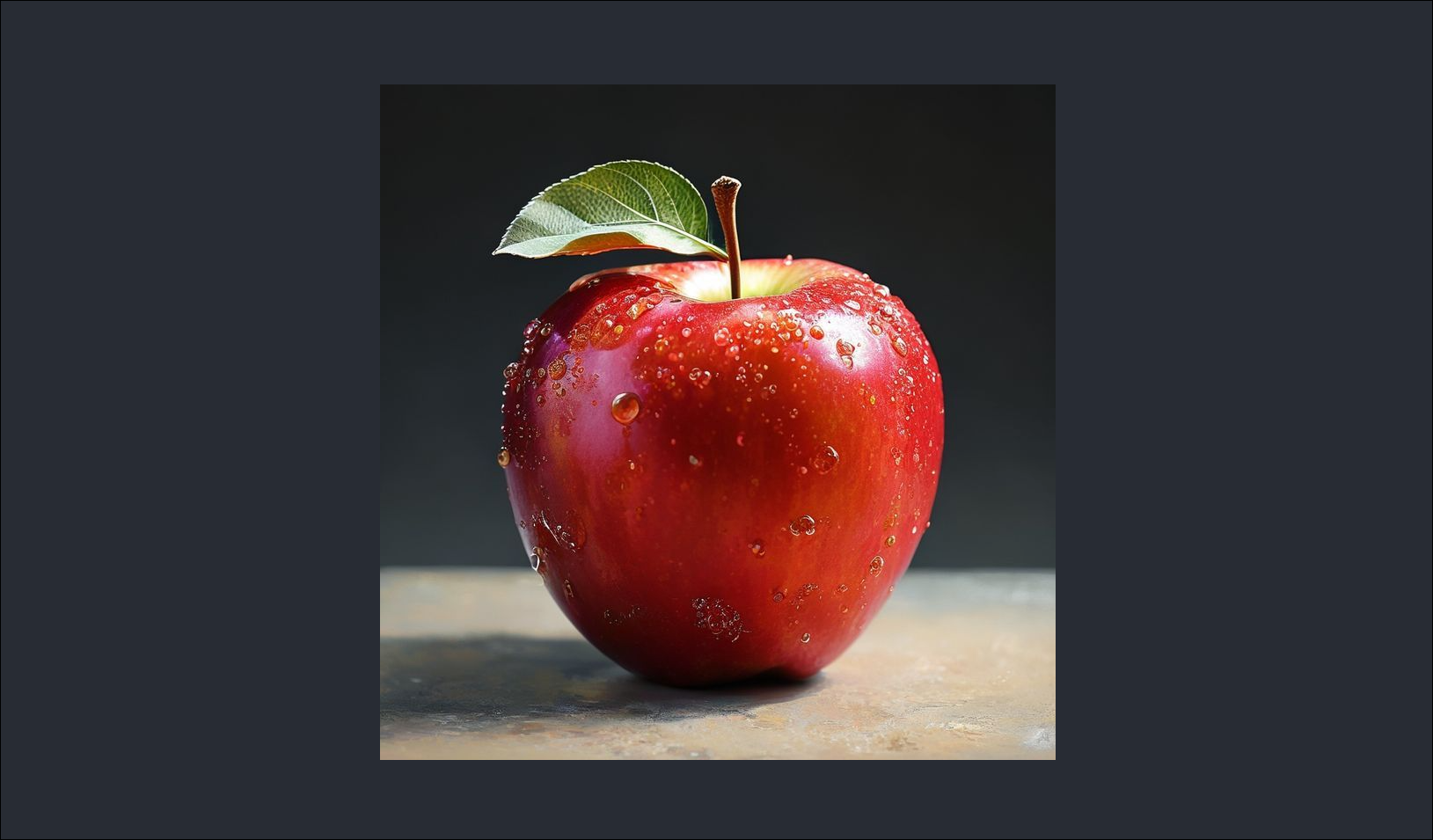
Image Generator G4F
A Python-based tool for generating images using the g4f library, allowing the creation of AI-generated images based on text prompts.
!Example: Image generated from the prompt "apple"
Capabilities
- Generation of high-quality images using the flux-pro model
- Automatic saving to a local directory
- Simple command-line interface
- Modular code structure
- Use of any available g4f provider
Requirements
- Python 3.10+
- Internet connection
Installation
1. Clone the repository:
git clone https://github.com/YOUR_USERNAME/g4f-image-generator.git
cd g4f-image-generator
2. Create a virtual environment:
python -m venv venv
3. Activate the virtual environment:
Windows:
venv\Scripts\activate
macOS/Linux:
source venv/bin/activate
4. Install dependencies:
pip install -r requirements.txt
Usage
Run the generator:
python main.py
Enter the prompt when prompted:
Enter prompt: beautiful sunset over the ocean
Generated images will be saved in the `generated_images/` directory with timestamps.
Configuration
Edit `config.py` to customize parameters:
OUTPUT_DIR = "generated_images" # Output directory
DEFAULT_MODEL = "flux-pro" # AI model used
TIMESTAMP_FORMAT = "%Y%m%d_%H%M%S" # Timestamp format in filename
Project Structure
image-generator/
├── main.py # Entry point and user interface
├── generator.py # Image generation logic
├── file_handler.py # File saving functionality
├── config.py # Configuration settings
├── requirements.txt # Python dependencies
├── generated_images/ # Output directory (created automatically)
└── README.md # This file
How It Works
1. Input: The user enters a text prompt
2. Generation: The g4f client generates an image using the flux-pro model
3. Download: The image URL is obtained and downloaded
4. Saving: The image is saved with a timestamp in the `generated_images/` directory
Dependencies
- `g4f` - Free GPT-4 API client with image generation support
- `requests` - HTTP library for downloading images
Troubleshooting
Generation failed
- Check your internet connection
- Try again (g4f automatically selects available providers)
- Wait a few seconds and retry
Import errors
- Reinstall dependencies: `pip install -r requirements.txt --upgrade`
- Check Python version: `python --version` (requires 3.10+)
Permission errors
- Ensure you have write permissions to the project directory
- Run with appropriate user permissions
Examples
Basic usage
python main.py
Enter prompt: red apple with water droplets
Output:
Generating: 'red apple with water droplets'...
✓ Saved: generated_images/image_20260109_143052.png
✓ Done!
License
GNU General Public License v3.0 - details in the LICENSE file.
Acknowledgments
- https://github.com/xtekky/gpt4free - GPT4Free library
- The flux-pro model for high-quality image generation
Created using Python and g4f.
GitHub: https://github.com/fedyaqq34356/Image-Generator.git
A Python-based tool for generating images using the g4f library, allowing the creation of AI-generated images based on text prompts.
!Example: Image generated from the prompt "apple"
Capabilities
- Generation of high-quality images using the flux-pro model
- Automatic saving to a local directory
- Simple command-line interface
- Modular code structure
- Use of any available g4f provider
Requirements
- Python 3.10+
- Internet connection
Installation
1. Clone the repository:
git clone https://github.com/YOUR_USERNAME/g4f-image-generator.git
cd g4f-image-generator
2. Create a virtual environment:
python -m venv venv
3. Activate the virtual environment:
Windows:
venv\Scripts\activate
macOS/Linux:
source venv/bin/activate
4. Install dependencies:
pip install -r requirements.txt
Usage
Run the generator:
python main.py
Enter the prompt when prompted:
Enter prompt: beautiful sunset over the ocean
Generated images will be saved in the `generated_images/` directory with timestamps.
Configuration
Edit `config.py` to customize parameters:
OUTPUT_DIR = "generated_images" # Output directory
DEFAULT_MODEL = "flux-pro" # AI model used
TIMESTAMP_FORMAT = "%Y%m%d_%H%M%S" # Timestamp format in filename
Project Structure
image-generator/
├── main.py # Entry point and user interface
├── generator.py # Image generation logic
├── file_handler.py # File saving functionality
├── config.py # Configuration settings
├── requirements.txt # Python dependencies
├── generated_images/ # Output directory (created automatically)
└── README.md # This file
How It Works
1. Input: The user enters a text prompt
2. Generation: The g4f client generates an image using the flux-pro model
3. Download: The image URL is obtained and downloaded
4. Saving: The image is saved with a timestamp in the `generated_images/` directory
Dependencies
- `g4f` - Free GPT-4 API client with image generation support
- `requests` - HTTP library for downloading images
Troubleshooting
Generation failed
- Check your internet connection
- Try again (g4f automatically selects available providers)
- Wait a few seconds and retry
Import errors
- Reinstall dependencies: `pip install -r requirements.txt --upgrade`
- Check Python version: `python --version` (requires 3.10+)
Permission errors
- Ensure you have write permissions to the project directory
- Run with appropriate user permissions
Examples
Basic usage
python main.py
Enter prompt: red apple with water droplets
Output:
Generating: 'red apple with water droplets'...
✓ Saved: generated_images/image_20260109_143052.png
✓ Done!
License
GNU General Public License v3.0 - details in the LICENSE file.
Acknowledgments
- https://github.com/xtekky/gpt4free - GPT4Free library
- The flux-pro model for high-quality image generation
Created using Python and g4f.
GitHub: https://github.com/fedyaqq34356/Image-Generator.git

 Kyiv
Kyiv  Available for hire
 Offer work