Interactive Constructor of Specifications [Managed Forms, UNF]
Enterprise Resource Planning (ERP)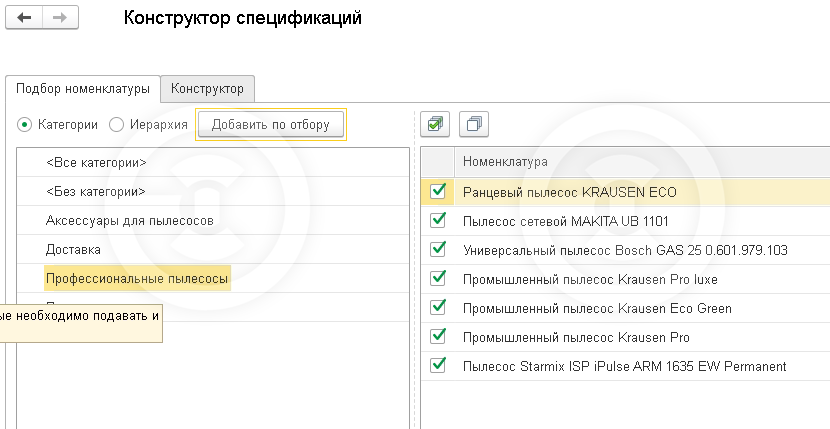
If it is necessary to arrange and simplify the process of analysis and creation of specifications, the interactive designer will deal with this. The processing looks like you create specifications directly in the list of the "Nomenclature" directory, while it will always be the full structure of each interested product.
The main window of the processing consists of two deposits. For convenience, the work is divided into two stages:
1) Adding the nomenclature to the list of designers
2 The editing of specifications.
In the form of the designer there are only all the most necessary fields, and his work is intuitively understandable and simple for the user.
You simply add to the selected nomenclature its components. You just need to set the focus on the interesting line, and press the "Add" button. Then choose the component, and the number. The data in the table is updated dynamically.
Protested on version 1.6.19.215, platform 8.3.18.1289.
The main window of the processing consists of two deposits. For convenience, the work is divided into two stages:
1) Adding the nomenclature to the list of designers
2 The editing of specifications.
In the form of the designer there are only all the most necessary fields, and his work is intuitively understandable and simple for the user.
You simply add to the selected nomenclature its components. You just need to set the focus on the interesting line, and press the "Add" button. Then choose the component, and the number. The data in the table is updated dynamically.
Protested on version 1.6.19.215, platform 8.3.18.1289.