Search Engine
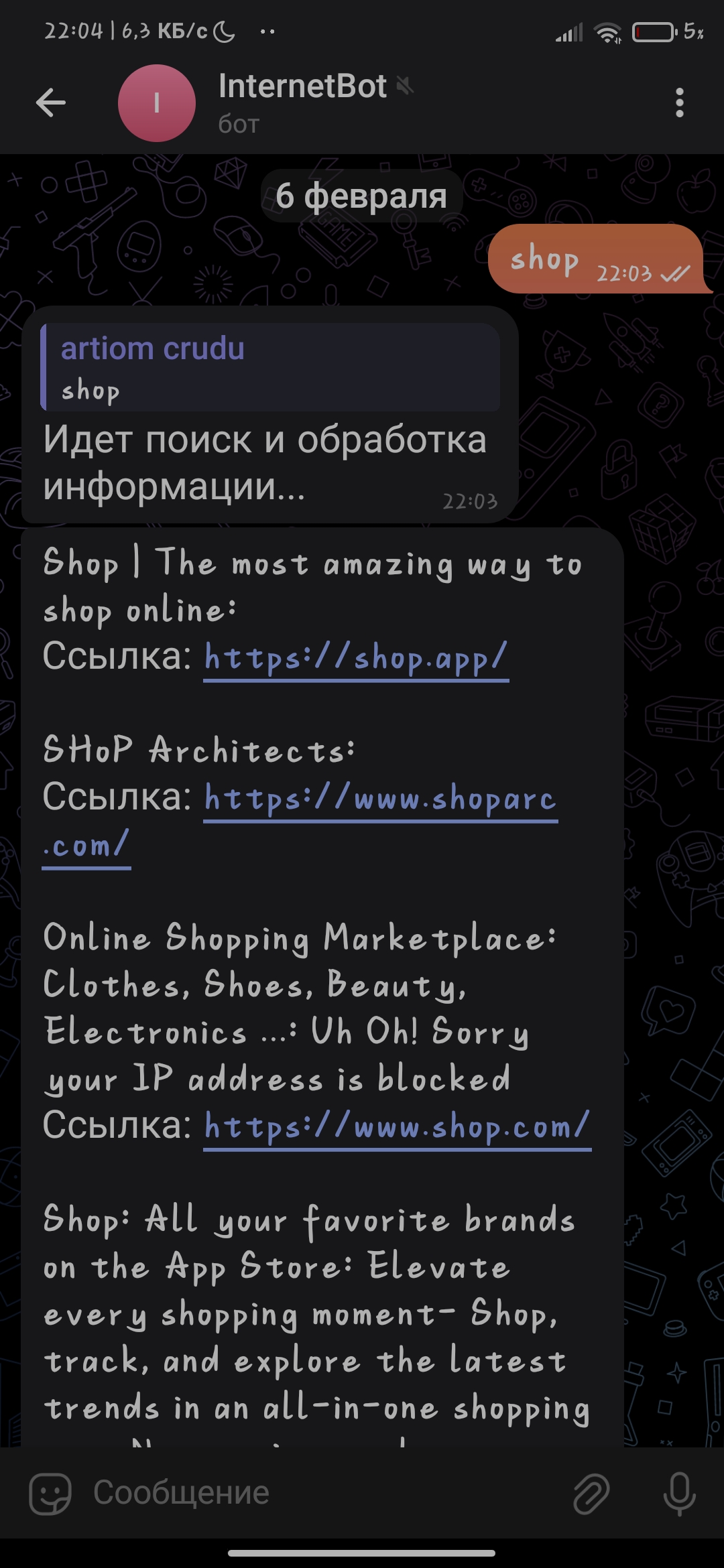
Bot description:
This Telegram bot allows users to search for information on the internet using the Google Search API. The bot processes text queries and provides brief search results. Users can choose the interface language and search language to customize the bot's operation according to their preferences.
Main features:
1. Information search — the bot accepts a text query from the user, sends it to the Google Search API, and returns the search results. Each result contains a title, a brief summary of the page content (from the first three paragraphs), and a link to the site itself.
2. Interface language selection — the bot supports several interface languages, such as Russian and English. Users can change the language by sending the command /setlang and selecting the desired language.
3. Search language selection — the bot supports choosing a language for searching information. The command /setsearchlang allows users to set the search language to receive results corresponding to the specified language.
4. Automatic handling of long messages — if the response is too long, the bot automatically splits the message into several parts and sends them sequentially.
How to use:
/start — start interacting with the bot.
/setlang — choose the interface language.
/setsearchlang — choose the language for searching.
Enter a text query — the bot will perform the search and return results with brief descriptions.
Technical details:
The bot uses the Google Custom Search API for searching and retrieving information.
BeautifulSoup is used for processing HTML and extracting the main text from pages.
The bot supports handling long messages using the send_long_message function to avoid the 4096 character limit for messages in Telegram.
Example query:
The user enters the query "Python programming":
1. The bot sends the message "Searching and processing information...".
2. The search is performed through the Google API.
3. The bot returns the page title, a brief summary, and a link to the site with the search results.
This Telegram bot allows users to search for information on the internet using the Google Search API. The bot processes text queries and provides brief search results. Users can choose the interface language and search language to customize the bot's operation according to their preferences.
Main features:
1. Information search — the bot accepts a text query from the user, sends it to the Google Search API, and returns the search results. Each result contains a title, a brief summary of the page content (from the first three paragraphs), and a link to the site itself.
2. Interface language selection — the bot supports several interface languages, such as Russian and English. Users can change the language by sending the command /setlang and selecting the desired language.
3. Search language selection — the bot supports choosing a language for searching information. The command /setsearchlang allows users to set the search language to receive results corresponding to the specified language.
4. Automatic handling of long messages — if the response is too long, the bot automatically splits the message into several parts and sends them sequentially.
How to use:
/start — start interacting with the bot.
/setlang — choose the interface language.
/setsearchlang — choose the language for searching.
Enter a text query — the bot will perform the search and return results with brief descriptions.
Technical details:
The bot uses the Google Custom Search API for searching and retrieving information.
BeautifulSoup is used for processing HTML and extracting the main text from pages.
The bot supports handling long messages using the send_long_message function to avoid the 4096 character limit for messages in Telegram.
Example query:
The user enters the query "Python programming":
1. The bot sends the message "Searching and processing information...".
2. The search is performed through the Google API.
3. The bot returns the page title, a brief summary, and a link to the site with the search results.

 Ungeny
  Available for hire