Toolbar for quick access to Merge, Split, Compress, Export PDF
Interface Design (UI/UX)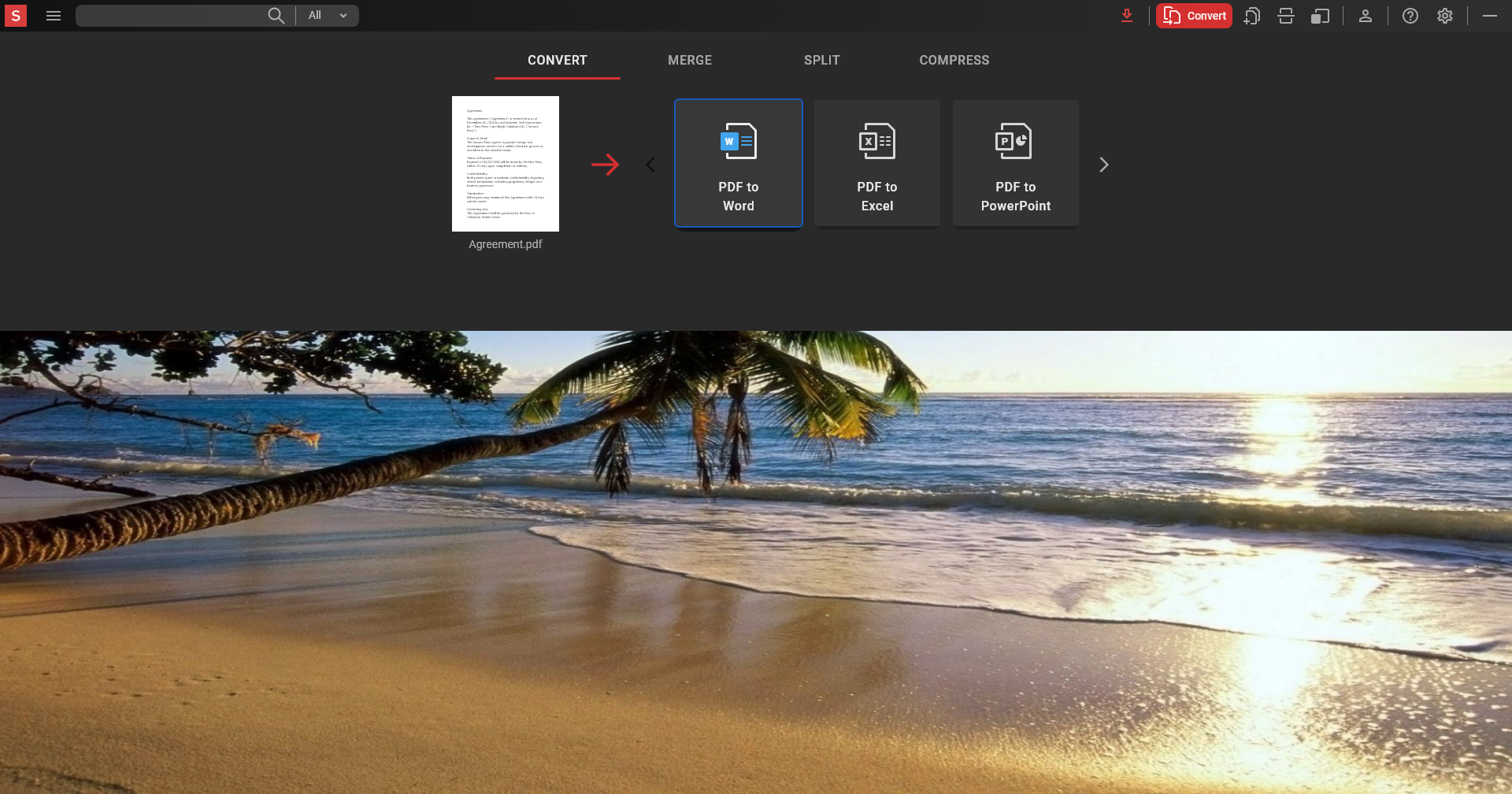
Designing a PDF Toolbar for quick access to the most popular features which do not require open document (Merge, Split, Compress and Export PDF)
The PDF toolbar project was initiated by a request from the marketing team to explore and test various formats of PDF products for cross-selling purposes.
My Contribution:
- Requirements gathering
- Сoncept creation
- Designing user flows
- Visual design
- Prototyping
- Stakeholder presentation
- Design system and preparation to hand over to developers
- Quality assurance
PDF Toolbar is a desktop application was intended for users who need the very basic PDF functionality that is easily accessible.
The basic set of application functions (only Merge, Split, Compress and Export) makes it highly visual and intuitive for users of any level, without requiring any special knowledge or skills to master the program.
Unlike web services with similar functionality, PDF Toolbar works offline, ensuring security and independence from the quality and availability of the connection.
In contrast to typical desktop PDF editors, PDF Toolbar takes up less hard drive space and requires fewer system resources, while also not requiring advanced skills from the user.
It wasn’t particularly challenging due to the basic functionality. However, the real challenge was to execute the project quickly and efficiently without any iterations between development and production. As far as I know, it is still being successfully sold as a cross-selling product.
The PDF toolbar project was initiated by a request from the marketing team to explore and test various formats of PDF products for cross-selling purposes.
My Contribution:
- Requirements gathering
- Сoncept creation
- Designing user flows
- Visual design
- Prototyping
- Stakeholder presentation
- Design system and preparation to hand over to developers
- Quality assurance
PDF Toolbar is a desktop application was intended for users who need the very basic PDF functionality that is easily accessible.
The basic set of application functions (only Merge, Split, Compress and Export) makes it highly visual and intuitive for users of any level, without requiring any special knowledge or skills to master the program.
Unlike web services with similar functionality, PDF Toolbar works offline, ensuring security and independence from the quality and availability of the connection.
In contrast to typical desktop PDF editors, PDF Toolbar takes up less hard drive space and requires fewer system resources, while also not requiring advanced skills from the user.
It wasn’t particularly challenging due to the basic functionality. However, the real challenge was to execute the project quickly and efficiently without any iterations between development and production. As far as I know, it is still being successfully sold as a cross-selling product.