UniCRM - University CRM System
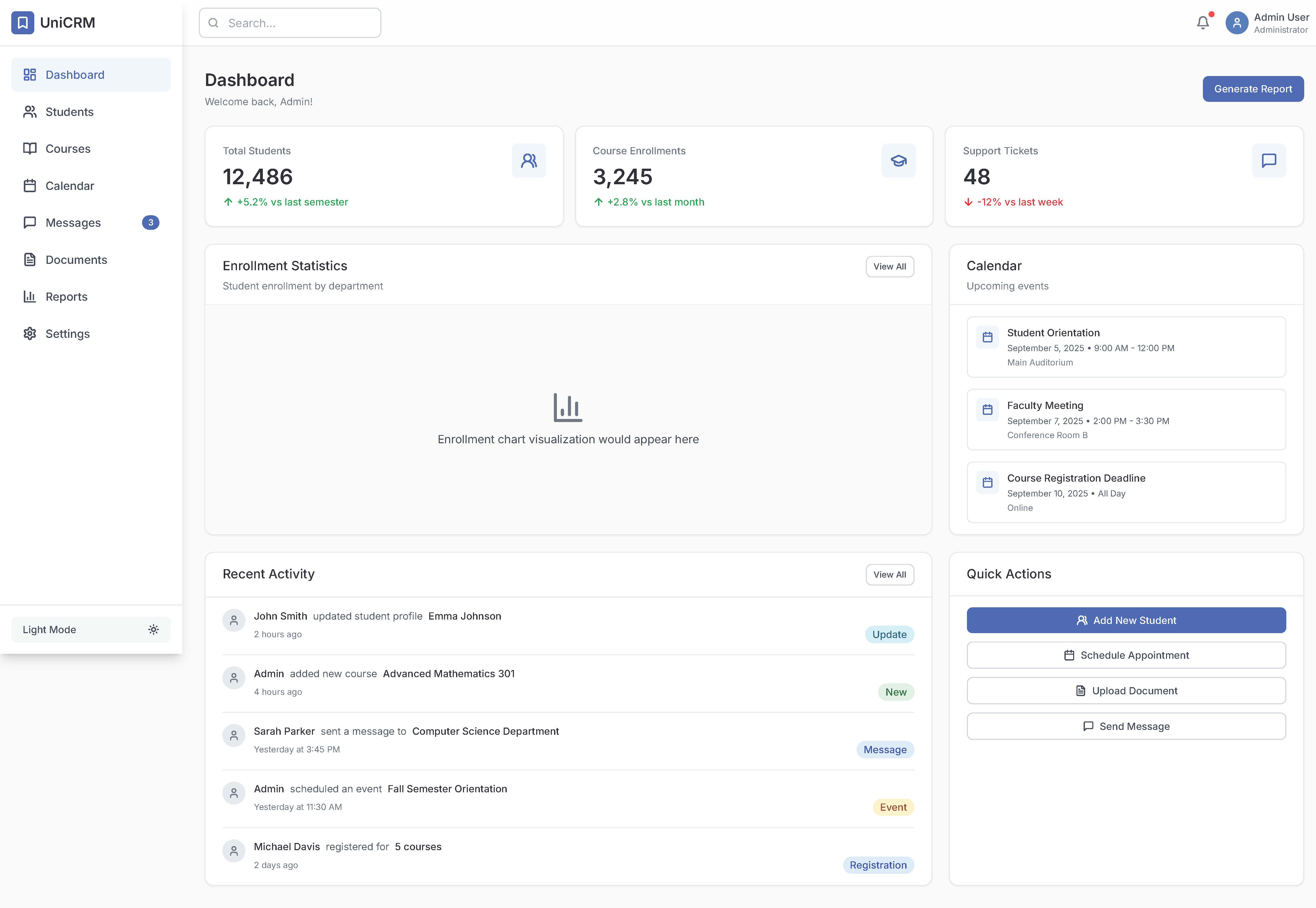
Main functions:
Interactive control panel with key metrics and activity overview
Management of student profiles with detailed information cards
Course registration and tracking of academic progress
Communication center for message exchange and notifications
Calendar integration for scheduling meetings and events
Document management system for storing student records
Reports and analytics with visual data presentation
Role-based access for administrators, teachers, and staff
Design elements:
Modern color palette:
Primary blue: #3B82F6
Additional turquoise: #0EA5E9
Accent purple: #8B5CF6
Success color: #10B981
Warning color: #F59E0B
Error color: #EF4444
Delicate micro-animations and smooth transitions between interface states
Unified spacing system (step — 8px) with clear visual hierarchy
Readable typography based on Inter font in three variations
Card-based components with shadows and rounded corners
Responsive layout for desktops, tablets, and mobile devices
Contextual side panels and modal windows without disrupting the main workflow
Data visualization: charts, diagrams, progress indicators
Interactive control panel with key metrics and activity overview
Management of student profiles with detailed information cards
Course registration and tracking of academic progress
Communication center for message exchange and notifications
Calendar integration for scheduling meetings and events
Document management system for storing student records
Reports and analytics with visual data presentation
Role-based access for administrators, teachers, and staff
Design elements:
Modern color palette:
Primary blue: #3B82F6
Additional turquoise: #0EA5E9
Accent purple: #8B5CF6
Success color: #10B981
Warning color: #F59E0B
Error color: #EF4444
Delicate micro-animations and smooth transitions between interface states
Unified spacing system (step — 8px) with clear visual hierarchy
Readable typography based on Inter font in three variations
Card-based components with shadows and rounded corners
Responsive layout for desktops, tablets, and mobile devices
Contextual side panels and modal windows without disrupting the main workflow
Data visualization: charts, diagrams, progress indicators

 Kyiv
Kyiv  Available for hire