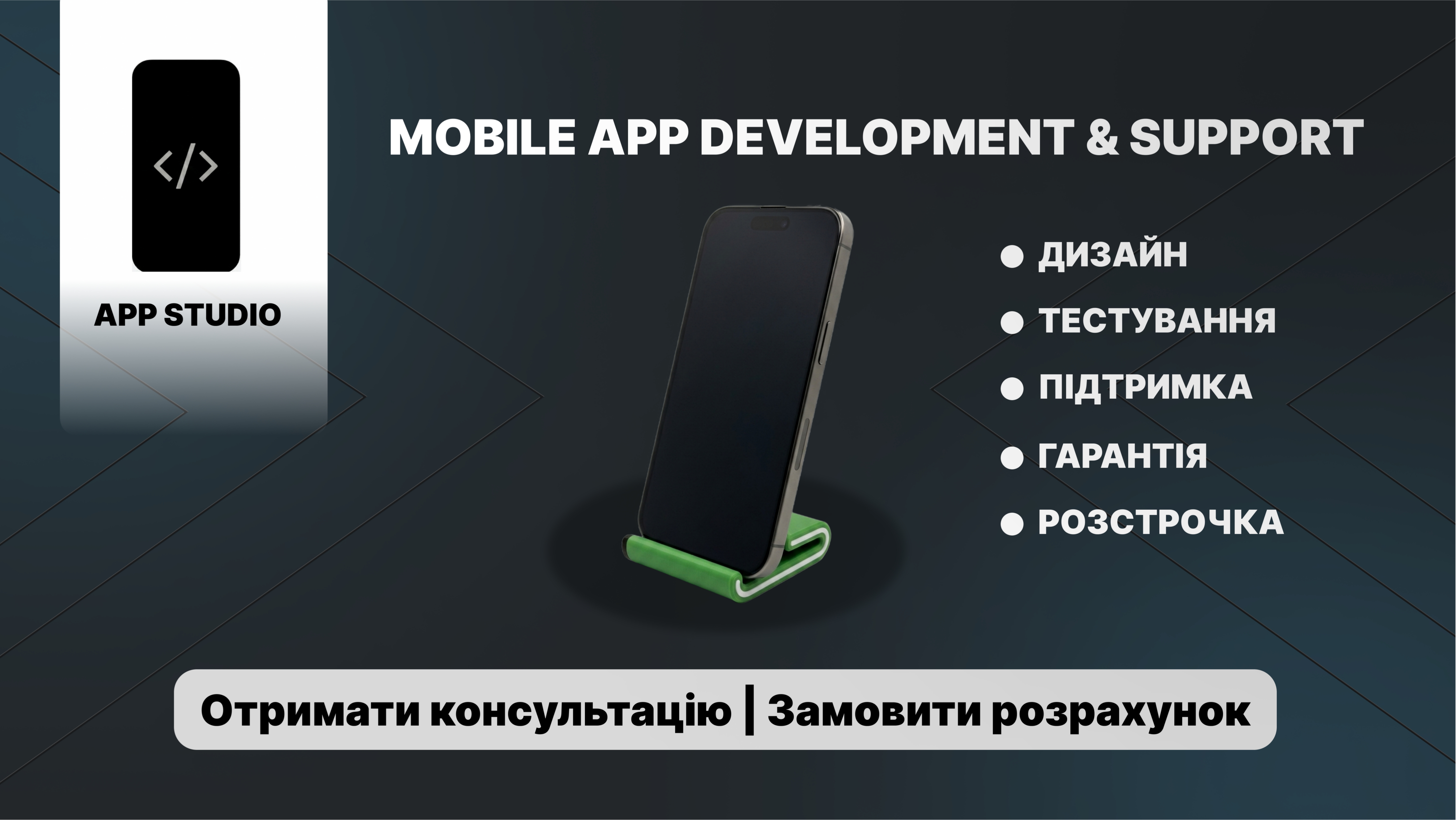
Development of a modern advertising banner for a mobile app development and support studio (App Studio). The main goal of the project is to create a clean, technological, and structured design that clearly communicates the company's advantages and encourages user action.
What has been done within the project:
Work with composition and accents: The center of composition is a realistic 3D mockup of a smartphone on a stand. The angle is chosen to create an effect of volume and depth (soft custom shadows have been used).
Stylistics and color scheme: A deep dark technological background with geometric lines that set the dynamics has been taken as the basis. A bright accent is the green element of the stand, which refreshes the layout and draws attention to the center of the screen.
Typography and readability: Text blocks are clearly structured. The list of services is formatted with bullet points, allowing the user to read the information in just a few seconds.
Designing the CTA (call to action): At the bottom of the banner, a contrasting button "Get Consultation | Order Calculation" has been implemented, which focuses the attention of potential clients.
Tools: Figma, Adobe Photoshop (working with graphics and object isolation).
Format: The banner is fully ready for use in contextual advertising, social networks, or as a cover for services.
What has been done within the project:
Work with composition and accents: The center of composition is a realistic 3D mockup of a smartphone on a stand. The angle is chosen to create an effect of volume and depth (soft custom shadows have been used).
Stylistics and color scheme: A deep dark technological background with geometric lines that set the dynamics has been taken as the basis. A bright accent is the green element of the stand, which refreshes the layout and draws attention to the center of the screen.
Typography and readability: Text blocks are clearly structured. The list of services is formatted with bullet points, allowing the user to read the information in just a few seconds.
Designing the CTA (call to action): At the bottom of the banner, a contrasting button "Get Consultation | Order Calculation" has been implemented, which focuses the attention of potential clients.
Tools: Figma, Adobe Photoshop (working with graphics and object isolation).
Format: The banner is fully ready for use in contextual advertising, social networks, or as a cover for services.