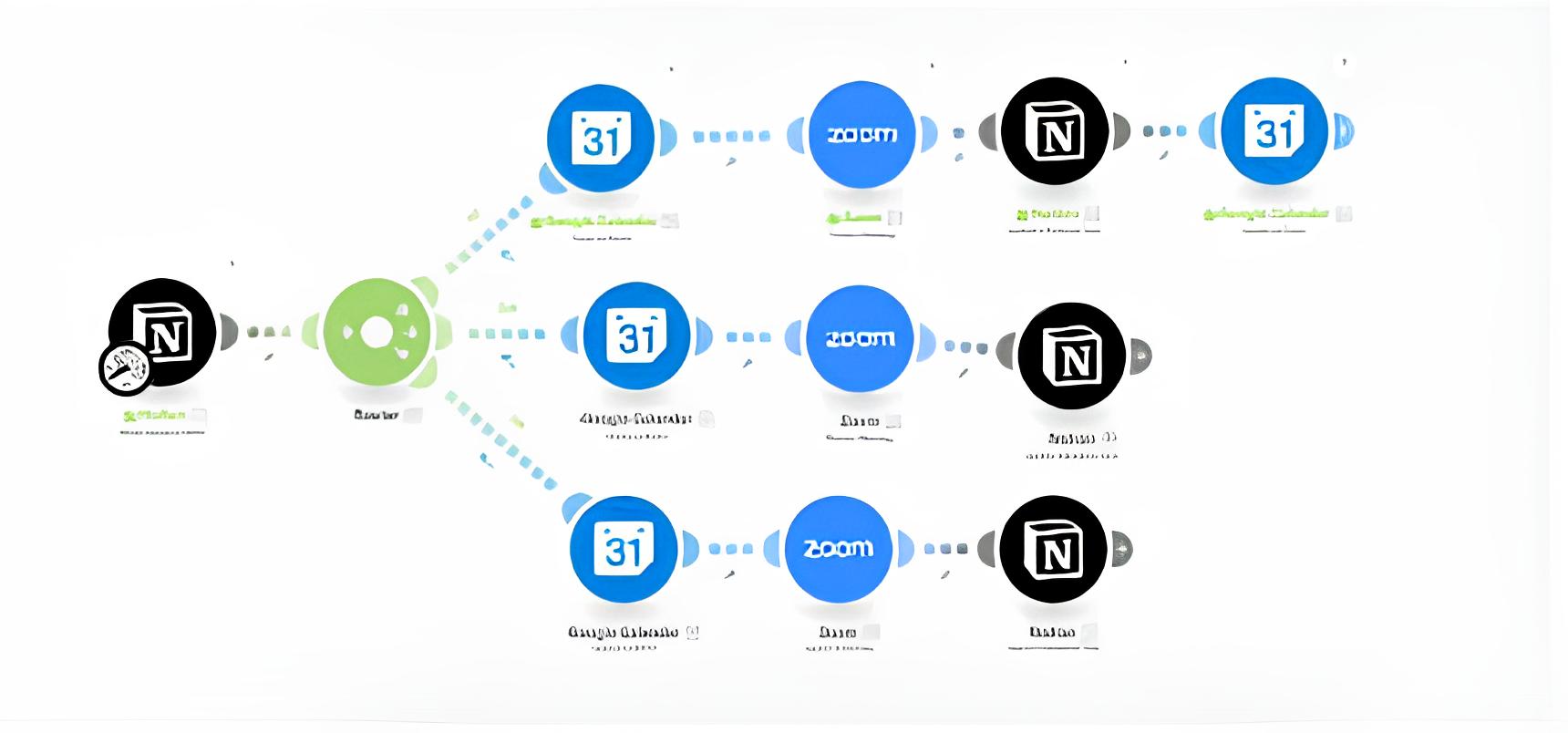
How it works:
- The user creates or edits a meeting record directly in the Notion working database (for example, fills out a form for the meeting).
- The integration module automatically "reads" new/edited records from Notion and creates the corresponding event in Google Calendar with all the details (time, participants, description).
- At the same time, a Zoom link for the online meeting is generated.
- Any further changes or deletions of the meeting are made in Notion — and are synchronously reflected in Google Calendar and Zoom, without the need to duplicate actions or manually update information in different systems.
- All information about upcoming and past meetings can be conveniently managed, filtered, and supplemented directly in a single working database.
Advantages:
- All work with scheduling and Zoom links is done in one window — Notion, which significantly saves time and eliminates routine.
- The ability to centrally manage the team's schedule without leaving Notion.
- Automatic synchronization of events and Zoom links, minimizing the risk of "human factor" (errors or missed changes).
- Updates occur in real-time: immediately after edits, creation, or deletion of a task in Notion, everything changes in Google Calendar and Zoom.
This approach is especially useful for teams that systematically work in Notion, value simplicity, and save time in organizing meetings.
- The user creates or edits a meeting record directly in the Notion working database (for example, fills out a form for the meeting).
- The integration module automatically "reads" new/edited records from Notion and creates the corresponding event in Google Calendar with all the details (time, participants, description).
- At the same time, a Zoom link for the online meeting is generated.
- Any further changes or deletions of the meeting are made in Notion — and are synchronously reflected in Google Calendar and Zoom, without the need to duplicate actions or manually update information in different systems.
- All information about upcoming and past meetings can be conveniently managed, filtered, and supplemented directly in a single working database.
Advantages:
- All work with scheduling and Zoom links is done in one window — Notion, which significantly saves time and eliminates routine.
- The ability to centrally manage the team's schedule without leaving Notion.
- Automatic synchronization of events and Zoom links, minimizing the risk of "human factor" (errors or missed changes).
- Updates occur in real-time: immediately after edits, creation, or deletion of a task in Notion, everything changes in Google Calendar and Zoom.
This approach is especially useful for teams that systematically work in Notion, value simplicity, and save time in organizing meetings.