Setting up Meta Pixel and CAPI for WooCommerce
Content Management Systems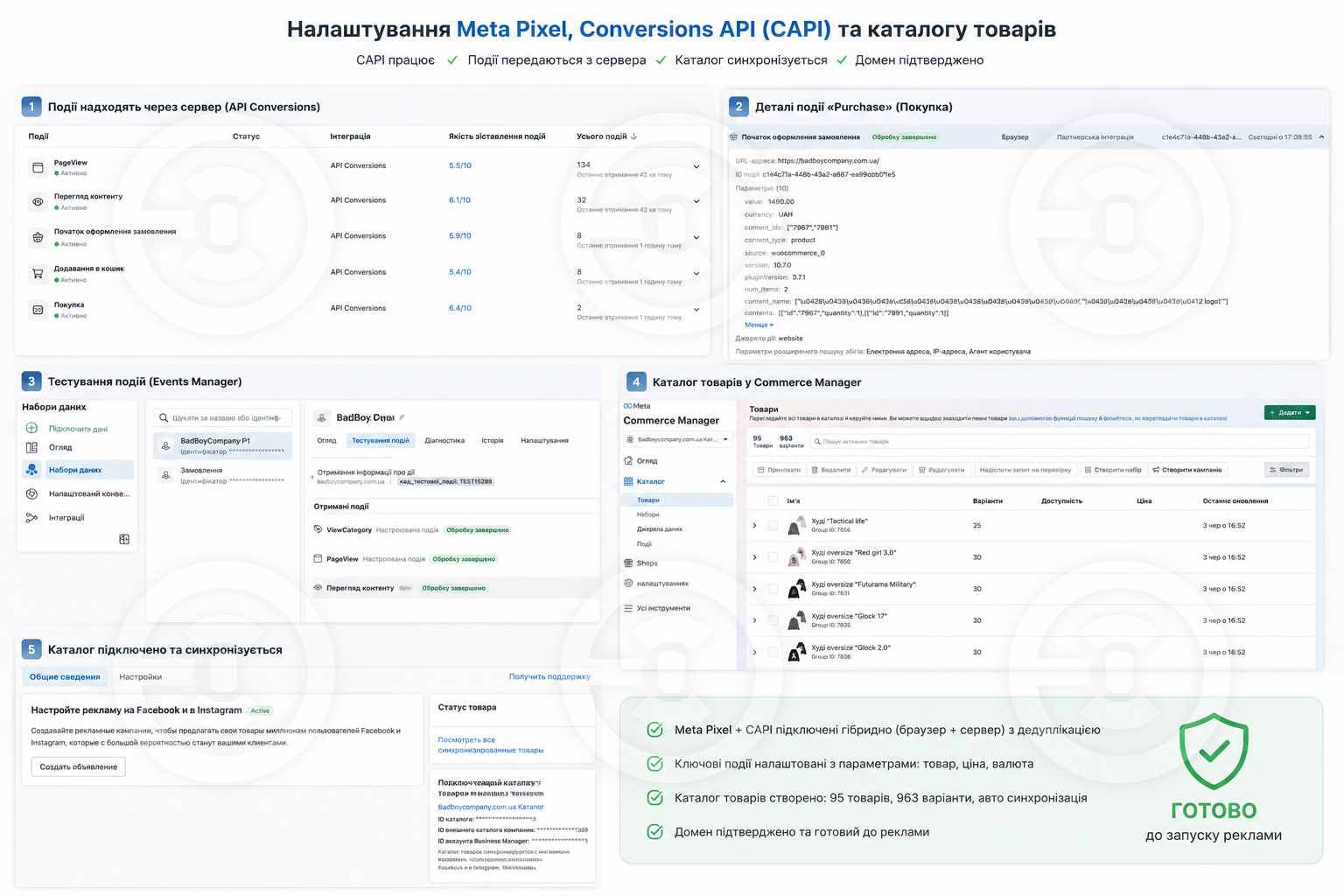
Completed:
- Connected Meta Pixel + Conversions API (CAPI) in hybrid mode (browser + server) without monthly payments for third-party services
- Set up event deduplication — events are not duplicated
- Implemented a complete event funnel with parameters: PageView, ViewContent, AddToCart, InitiateCheckout, Purchase
- Enabled Advanced Matching for better event matching quality
- Connected product catalog to Facebook/Instagram (95+ products with variations) for dynamic advertising
- Set up an event for the custom button "Buy in one click" (quick orders are tracked alongside regular ones)
- Fixed a theme bug that caused the buyer to be redirected from the thank you page during quick orders (improved UX + correct purchase tracking)
- Verified domain in Business Manager
All checked in Events Manager (Test Events + Overview), provided a report with screenshots
- Conducted a test order and verified the correct receipt of the Purchase event.
Results:
1. Server events are successfully transmitted via Conversions API.
2. Events are displayed in Meta Events Manager without duplication.
3. Product catalog is synchronized and ready for launching dynamic advertising.
4. The site is fully prepared to work with Meta advertising campaigns focused on sales.
- Connected Meta Pixel + Conversions API (CAPI) in hybrid mode (browser + server) without monthly payments for third-party services
- Set up event deduplication — events are not duplicated
- Implemented a complete event funnel with parameters: PageView, ViewContent, AddToCart, InitiateCheckout, Purchase
- Enabled Advanced Matching for better event matching quality
- Connected product catalog to Facebook/Instagram (95+ products with variations) for dynamic advertising
- Set up an event for the custom button "Buy in one click" (quick orders are tracked alongside regular ones)
- Fixed a theme bug that caused the buyer to be redirected from the thank you page during quick orders (improved UX + correct purchase tracking)
- Verified domain in Business Manager
All checked in Events Manager (Test Events + Overview), provided a report with screenshots
- Conducted a test order and verified the correct receipt of the Purchase event.
Results:
1. Server events are successfully transmitted via Conversions API.
2. Events are displayed in Meta Events Manager without duplication.
3. Product catalog is synchronized and ready for launching dynamic advertising.
4. The site is fully prepared to work with Meta advertising campaigns focused on sales.