1. Title
3D/AI Video Artist: Hyper-realistic Face Analysis Animation for Landing (Web Video)
2. What We Do
A short looping video is needed for the hero section of the landing page of a web product (AI face analysis, playful format).
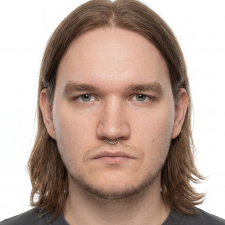
Plot: hyper-realistic face generated by AI (not a specific person). Landmark points (eyes, nose, jawline, eyebrows) will sequentially "sit" on it, with a light glowing grid built between them. At the end, 2–3 small score cards will gently "fly out" from the face (e.g. Curiosity 88 / 100).
Behavior: build-in on loading (the grid builds, cards appear, ~3–4 s) → then seamless loop (~8–12 s): the grid barely "breathes," the cards gently pulse. Smoothly, without sharp movements.
3. Style
Aesthetics: editorial, clinical, grey — calm, premium, "medical-analytical report × magazine spread." Reference tone — QOVES face-analysis.
The face should be photorealistic, but neutral, calm, natural light, without glamour and without a "stock" smile. Overlays (points, grid, cards) — strictly in a grey clinical palette from below, with a single grey-slate accent at the nodes.
Critical — tone. This is a playful vibe analysis, NOT biometric scanning, NOT face recognition, NOT "the system evaluates the person." Due to photorealism, this risk is higher, so:
- Prohibited:
IDENTIFIED/SCANNING frames, targeting crosshairs, red alarming colors, "security" HUD, tracking/interrogation effects, cold "prisoner scanning." - Required: warm soft light, delicate glowing points, a sense of "interesting play with one's face," not a diagnosis. Score cards — light, friendly.
Background: dark (deep graphite gradient, like a premium studio) — so that glowing overlays are readable and to avoid transparency. Not black-to-zero, but soft dark-slate.
4. Technical Requirements
- Delivery format: MP4 (H.264) + WebM (VP9) — both, for cross-browser compatibility.
- Dark opaque background (transparency not needed). If the client later wants transparency over light — this is a separate encoding webm VP9-alpha + HEVC .mov-alpha, discussed additionally.
- Poster frame (first frame, JPG) — for instant display before video loading and for fallback.
- The video must play as muted + loop + autoplay +
playsinline (otherwise it won't start on iOS). - Size/weight: keep compact — target ≤ 5 MB per video (better 2–3 MB) with good compression. This is important for hero speed.
- 24–30 fps, build-in ~3–4 s, seamless loop ~8–12 s.
- Resolution for retina hero columns: output ~1400–1600px wide, with clean compression.
- Mobile: plays correctly on real iOS Safari and Android Chrome (
playsinline, muted); on narrow columns, the face and cards are not cropped; poster fallback on weak devices. prefers-reduced-motion: show poster frame (static final state) instead of video.
5. Deliverables + Rights
The contractor delivers:
- MP4 (H.264) + WebM (VP9) — final looping video.
- Poster frame (JPG, final static state).
- Editable source — compositing project (After Effects / Nuke / Blender scene, etc.) with all layers and overlays, so future edits do not require starting from scratch.
- (Optional / bonus) "silent" light version for the login page from the same source.
Rights and confirmations:
- Full transfer of exclusive property rights + unlimited commercial use.
- The contractor written confirms that they have commercial rights to use the generated AI face (the license of the generation tool allows for commercial use).
- The AI face must not resemble any real recognizable person; gender/ethnically neutral, ¾ or frontal angle.
Fonts in the cards — free Google Fonts (Hanken Grotesk, JetBrains Mono).
6. Process
- Still-frame (concept frame) within the first 24 hours — one static render of the future scene (face + background + overlay example) for approval. I confirm the same day.(For photorealism, this stage is critical — redoing a finished render is expensive.)
- After my "ok" — animation and compositing.
- 2 rounds of revisions included in the price.
- Payment in stages through Safe agreement: part after approval of still-frame, the rest — after acceptance of final files.
Important quick start: still-frame within the first day, so respond only if you are truly free now.
7. Budget and Timeline
- Budget: $___ (confirm; realistic range for this scope — $300–700; for $150, finding photorealistic AI video with compositing and sources is almost impossible).
- Timeline: 3–4 days from start (for photorealism this is tight — flexibility up to 5 is possible).
8. What to Send in Response
- 1–2 works specifically with realistic faces: 3D render, AI-generated / AI video, or compositing overlays on faces (not just static illustrations).
- Short comment: how you see this style and what tool you plan to use to generate the face.
- Confirmation that you can start immediately and provide still-frame within the first day.
Responses without examples of realistic faces and without a comment on style will not be considered.


 Google Drive