Telegram bot tech support (analog of tickets in Discord) on aiogram
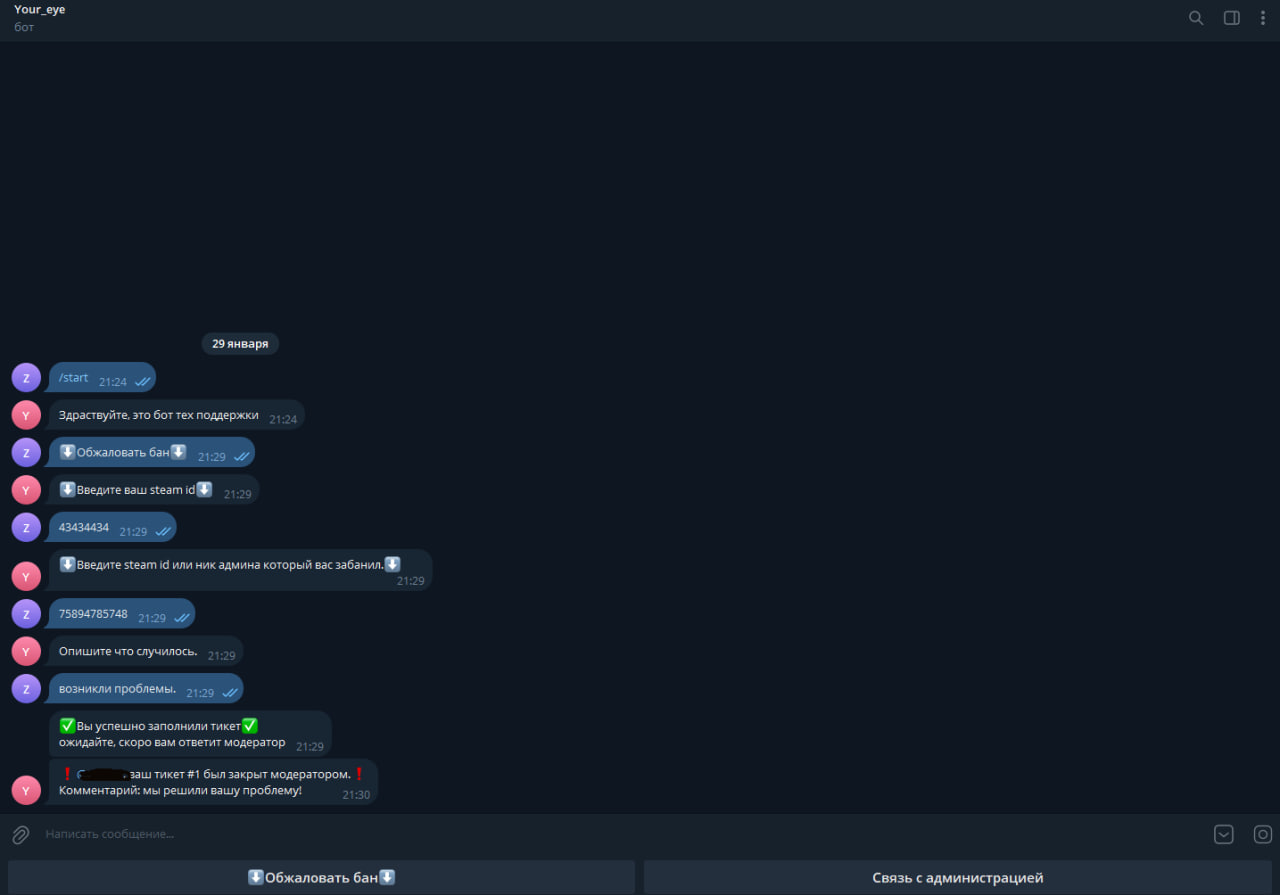
Support bot for games (Rust server) Interesting implementation with themes.
The bot has a ticket system like in Discord, you can open no more than 2 tickets, only without chat. There is a logging system for closing a specific ticket by a specific person. You add admin IDs to the list, and they can view it through the /admin_panel command. When the bot starts, a database file will be created.
Everything has been thoroughly tested (with various types of testing), no bugs were found.
The bot works like this - a person fills out a ticket (not allowed if there are open tickets, limit of 2 tickets), when filled out, a topic is created in the group with moderators with the information that the client filled out, the ticket can be closed and a comment can be added to the ticket which will be sent to the user. The topic is deleted and the ticket is closed. All actions are recorded in the database and can later be viewed through the admin panel.
To operate the bot, you need to modify the config.py file | Add the bot to the admin group, change the group so that topics can be created, grant the bot the ability to create topics and admin rights. All confidential information settings are in config.py.
The bot has a ticket system like in Discord, you can open no more than 2 tickets, only without chat. There is a logging system for closing a specific ticket by a specific person. You add admin IDs to the list, and they can view it through the /admin_panel command. When the bot starts, a database file will be created.
Everything has been thoroughly tested (with various types of testing), no bugs were found.
The bot works like this - a person fills out a ticket (not allowed if there are open tickets, limit of 2 tickets), when filled out, a topic is created in the group with moderators with the information that the client filled out, the ticket can be closed and a comment can be added to the ticket which will be sent to the user. The topic is deleted and the ticket is closed. All actions are recorded in the database and can later be viewed through the admin panel.
To operate the bot, you need to modify the config.py file | Add the bot to the admin group, change the group so that topics can be created, grant the bot the ability to create topics and admin rights. All confidential information settings are in config.py.

 Chernovtsy
  Available for hire