Client's task
It was necessary to create a Telegram bot with a logical communication scenario that collects contact information (phone number), personalizes communication, and automatically transfers all leads to Google Sheets for further processing and client work without manual entry.
My work:
1. Creation and connection of the Telegram bot
I created a Telegram bot and connected it to ManyChat. I set up basic automatic responses.
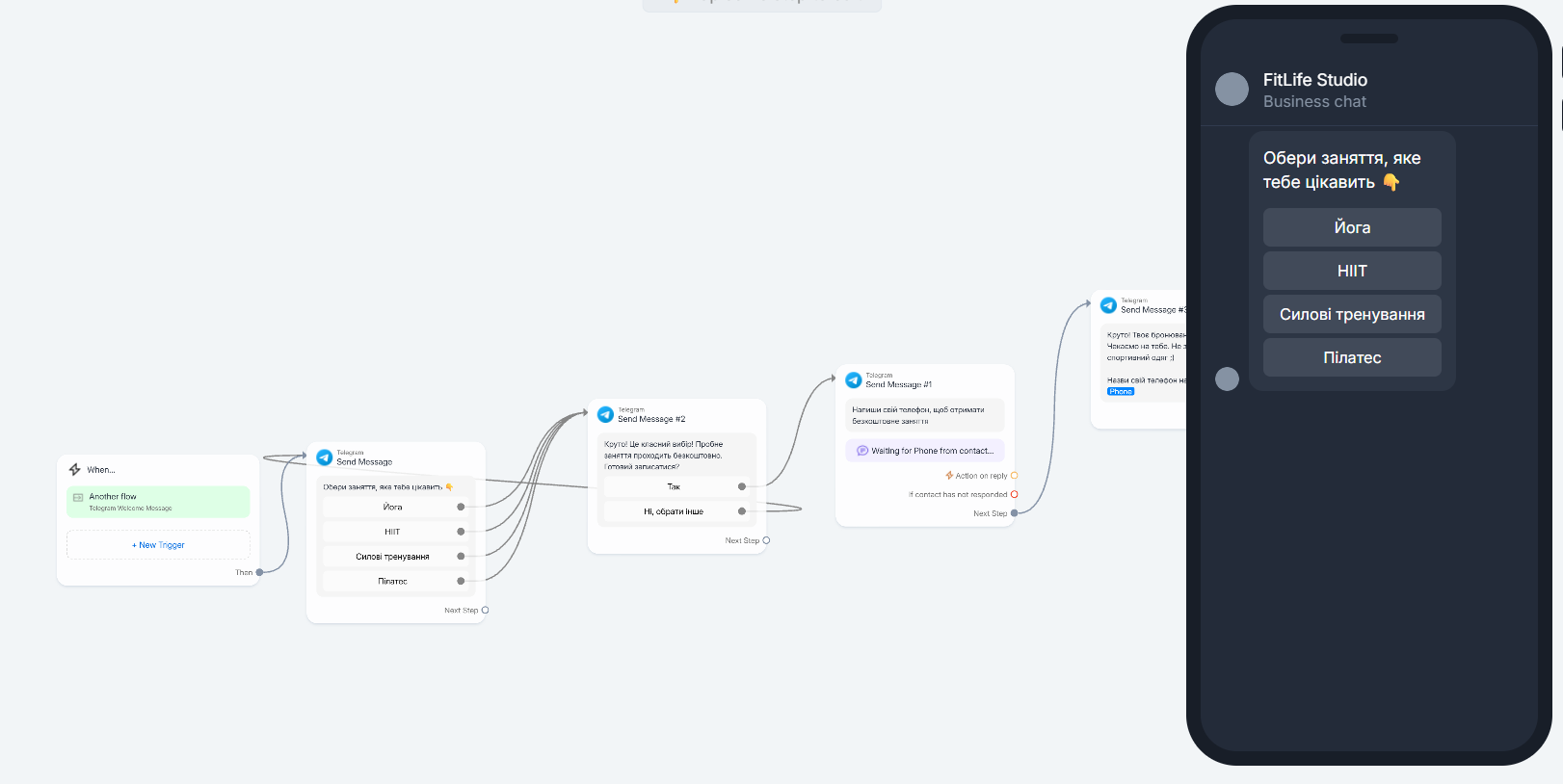
2. Development of the scenario (flow)
I built the interaction logic from the first message to receiving the contact.
3. Collection of the phone number
I set up User Input for quick and convenient collection of the phone number.
4. Personalization of messages
I added addressing by name (First Name) to increase trust and engagement.
5. Integration with Google Sheets
I connected automatic data transfer to Google Sheets.
6. Mapping and recording data
I linked the fields and set up automatic addition of leads after entering the number.
7. Testing
I checked the correctness of the scenario and data transfer.
Result for the client!
Automated collection of contacts without manual work: all leads immediately go into the table, are not lost, and are ready for further processing and sales.
It was necessary to create a Telegram bot with a logical communication scenario that collects contact information (phone number), personalizes communication, and automatically transfers all leads to Google Sheets for further processing and client work without manual entry.
My work:
1. Creation and connection of the Telegram bot
I created a Telegram bot and connected it to ManyChat. I set up basic automatic responses.
2. Development of the scenario (flow)
I built the interaction logic from the first message to receiving the contact.
3. Collection of the phone number
I set up User Input for quick and convenient collection of the phone number.
4. Personalization of messages
I added addressing by name (First Name) to increase trust and engagement.
5. Integration with Google Sheets
I connected automatic data transfer to Google Sheets.
6. Mapping and recording data
I linked the fields and set up automatic addition of leads after entering the number.
7. Testing
I checked the correctness of the scenario and data transfer.
Result for the client!
Automated collection of contacts without manual work: all leads immediately go into the table, are not lost, and are ready for further processing and sales.